

Google Looker Business Analyst Exam Overview
So you're thinking about the Google Looker Business Analyst certification? Honestly, this credential's quietly gotten pretty valuable as companies dump their legacy BI tools and commit fully to Looker. I mean, it's not flashy like cloud architect certs, but if you're in analytics or reporting, this actually proves you can do the work instead of just talking about it.
What this certification actually proves
Real deal credential here. The Looker Business Analyst certification validates you know how to use Looker for business intelligence and data analysis. Not gonna lie, it focuses on practical stuff like exploring data, creating visualizations, building dashboards, and delivering actionable insights stakeholders really care about.
This isn't coding territory. Not data engineering either.
It's about proving you can sit in Looker's explore interface, tackle complex business questions, and build reports people will actually use instead of filing away in some forgotten SharePoint folder somewhere. We've all seen those graveyards of unused dashboards, right?
Enterprises adopting Google Cloud's Looker platform for analytics recognize this cert. It distinguishes business analysts who can use Looker's explore interface, visualization tools, and collaboration features without needing a developer holding their hand for every single new report. That self-sufficiency makes certified analysts valuable. You become the person teams turn to when they need insights fast, not three weeks from now after the dev team clears their backlog.
This cert's part of Google Cloud's broader certification ecosystem for data and analytics professionals, sitting alongside credentials like the Professional Data Engineer and the Google LookML Developer. Unlike those though? You don't need to write code or manage infrastructure. Just know Looker inside and out from a user perspective.
Who's running this show
Google Cloud's certification program manages everything. They deliver the exam through the Kryterion testing platform, giving you options: online proctored or test center, your call. The exam fits with Looker's product roadmap and best practices for business users, which means it's not some stale test from 2019 that nobody bothered updating.
They update it periodically, reflecting new features, UI changes, and governance capabilities that actually matter in production environments.
I appreciate that currency. The thing is, too many vendor certs test you on features that got deprecated three years ago. Pointless, honestly.
What you're actually proving you can do
The certification validates proficiency in working through Looker's explore interface to answer business questions. Can you build, customize, and interpret Looks (those're saved queries) and dashboards? Do you understand dimensions, measures, filters, pivots, and table calculations well enough to craft the exact view stakeholders need without seventeen rounds of revisions?
You'll need skills creating visualizations that communicate insights. That's not just slapping a bar chart on a dashboard. It's choosing the right viz type, formatting so executives understand it in three seconds flat, and making sure the data story's crystal clear.
The exam covers scheduling, sharing, and exporting reports for different audiences. Real analysts don't just build reports. They distribute them to the right people at the right time with appropriate context.
There's also familiarity with governance concepts tested: data definitions, consistent metrics, and data accuracy. I mean, this matters way more than people think because when Finance and Marketing are using different definitions of "active customer," you get absolute chaos in executive meetings. Competence in collaborating through boards, alerts, and embedded analytics rounds out the skills. Looker's a team sport, and the cert proves you can play well with others.
Who should actually take this exam
Business analysts working with Looker for reporting and decision support are obvious candidates here. Data analysts transitioning from SQL or spreadsheet-based workflows to modern BI platforms should consider it too. Solid way to validate you've made the leap successfully instead of just claiming you did.
I've seen product managers take this. Marketing analysts. Operations professionals using Looker daily who benefit from the credential. Consultants implementing Looker solutions for clients definitely should get certified. Clients trust certified people more, fair or not. Mostly not, but that's reality.
Professionals seeking to validate Looker skills for career advancement or job transitions find this opens doors. Teams adopting Looker who want certified power users to champion best practices internally often sponsor their analysts to take it. Smart move, honestly.
Career stuff worth thinking about
You get stronger credibility with hiring managers and clients in data-driven roles. That's obvious.
What's less obvious? The competitive advantage in job markets where Looker adoption's growing, and it's growing fast, especially in SaaS companies and enterprises moving to Google Cloud.
This cert provides a foundation for advanced certifications like the Looker LookML Developer if you decide to level up into data modeling territory. It demonstrates commitment to professional development in business intelligence, which matters when you're competing against candidates who just list "Looker" on their resume without proof they've actually used it beyond basic charts. Opens opportunities in consulting, analytics, and BI implementation projects where certified folks get priority consideration.
My cousin works in recruiting for a tech company, and she says the cert filtering happens before hiring managers even see most resumes. Algorithms scan for keywords like this. Kind of depressing but useful to know.
How this fits in the Looker cert ecosystem
Entry-level certification for Looker business users. No coding required, which is refreshing honestly. It complements the Looker LookML Developer certification, which targets data modelers and engineers who build the explores and data models you use daily.
You can pair it with Google Cloud Professional Data Analyst or other Google Cloud certs for broader credentials if you're building a full analytics career path instead of staying narrowly focused.
It's suitable for professionals who consume and explore data rather than build data models. That's an important distinction, actually. If you're the person asking questions of data, this is your cert. If you're the person building the data layer so others can ask questions, you want the LookML Developer cert instead. Totally different skill sets.
Business Analyst versus LookML Developer
Look, these two certs get confused constantly. Business Analyst focuses on using Looker's interface, dashboards, and explores. The front-end user experience stuff. LookML Developer covers data modeling, writing LookML code, and building explores from scratch, which is backend engineering work.
Business Analyst requires zero programming. LookML Developer requires solid coding skills and understanding of data modeling principles.
Both certifications are complementary for full-stack Looker teams, right? You need certified business analysts to champion adoption and self-service analytics. You need certified LookML developers to build and maintain the semantic layer underneath it all. Different roles, different skills, both valuable in their own ways.
What the cert means professionally
The certification demonstrates current knowledge of Looker's capabilities in ways that job interviews and resume buzzwords simply can't replicate. It's recognized by organizations using Looker for enterprise analytics. I've seen job postings specifically requesting it, not just "preferred" but actually required. Valued by Google Cloud partners and consulting firms who need certified staff for client engagements where credentials matter for contracts.
Improves professional profiles significantly. On LinkedIn and resumes in concrete, verifiable ways. Instead of "experienced with Looker," you can say "Google Looker Business Analyst certified," which is searchable and verifiable by recruiters who actually filter for this stuff.
If you're already using Looker daily and want to prove your expertise? Or if you're trying to break into analytics roles where Looker's the primary platform? This cert makes sense. It's not the hardest certification out there, let's be honest, but it's respected where it matters most: in companies that've standardized on Looker for their analytics stack and need people who can hit the ground running.
Exam Details: Cost, Format, Duration, and Passing Score
what you'll actually pay (and why it's annoying)
The Google Looker Business Analyst exam isn't a $20 quiz you knock out on a lunch break. It's a real certification-style exam, and the Looker Business Analyst exam cost typically lands around $125 to $150 USD. That's the number most people see, but honestly you should still verify it on the official Google Cloud certification site because Google changes pricing sometimes, and some regions get slightly different pricing once taxes and currency conversion kick in.
Region matters. A lot.
If you're paying in a non-USD currency, the final number can drift because of local pricing rules or exchange rates, and it's not always intuitive. I mean, I've seen people in the same country pay different totals depending on whether their card gets billed in local currency versus a converted USD amount.
Retakes aren't discounted. Not gonna lie, that part hurts. Retake fees usually match the initial exam cost, so if you fail once you're basically buying the same ticket again. There also aren't "bundle discounts" where you buy multiple Google Cloud cert exams together for cheaper, which is something folks assume exists because other vendors sometimes do it.
A couple ways people avoid paying out of pocket. Sometimes.
Corporate training programs occasionally include exam vouchers, especially if your company's pushing a standardized BI stack and wants analysts trained on Looker dashboards and explores. Ask your manager or L&D team before you spend your own money, because it's a weirdly common perk that nobody advertises well.
Also, don't plan on stacking this with other certs for a deal. There's typically no bundled discount with other Google Cloud certifications. You pay per exam. Full stop.
how the questions feel: more "what would you do" than trivia
This exam's mostly multiple-choice and multiple-select. Straightforward format, but the catch is the scenarios. You'll get a bunch of "you're a business analyst, stakeholder wants X, data looks like Y, what do you do in Looker" type prompts. That's where the Looker Business Analyst exam objectives show up in real life: interpreting explores, choosing the right visualization, validating filters, and noticing when a dashboard's telling a misleading story.
Expect around 50 to 60 questions, but the exact number can vary. Some exam forms are slightly different. That means pacing matters, because 50 questions in 90 minutes feels comfy, but 60 questions can feel tight if you overthink every scenario.
The practical vibe's strong.
You'll see questions that map to everyday business intelligence reporting in Looker, like building a dashboard for execs, deciding whether to use a Look vs a dashboard tile, and troubleshooting why numbers don't match between two reports. You might also see conceptual stuff that touches Looker data modeling basics (LookML concepts), but from the analyst angle, not the developer angle. Think "how definitions affect consistency" rather than "write this LookML."
One thing people misunderstand.. wait, actually, the thing is there are no hands-on labs and no performance-based tasks here, unlike some Google Cloud exams where you actually do stuff in a console. This is a sit-down, pick-the-best-answer exam. That means your Looker Business Analyst study materials should include docs and real practice in Looker, but you won't be graded on clicking speed or muscle memory.
Multiple-select questions are where folks lose points. Some are "choose two," some are "choose all that apply." You don't get partial credit. If you miss one option, the whole question's wrong. That's also why taking a decent Looker Business Analyst practice test helps, because it trains you to slow down just enough to read the prompt carefully.
I once watched someone miss three questions in a row because they kept picking the "sounds official" answer instead of the "actually works in Looker" answer. Certification brain does weird things to you.
time limit: 90 minutes, but the clock moves fast
You get 90 minutes total. No breaks. No pausing. If you've done proctored exams before, you already know the vibe: once it starts, you're on rails.
The math's simple: with 50 to 60 questions, your average pace should be about 1.5 to 2 minutes per question. Some questions'll take 20 seconds. Others'll take 3 minutes because they're long and scenario-heavy, and you're trying to decide between two answers that both sound "kind of right."
Flagging's your friend.
If the exam UI lets you mark questions for review, use it. Don't get stuck in a spiral. Answer, flag, move on. Then come back during the review window and re-read the scenario with fresh eyes. Look, most people don't fail because they don't know Looker. They fail because they burn time early and start guessing late.
Also, keep an eye on multi-selects. They're time sinks. You read them twice. Sometimes three times. Fragments. Second-guessing. It happens.
where you can take it: home or test center
You typically have two delivery options: online proctored or test center (often through Kryterion-authorized locations). Online's convenient, but it's also pickier. Test centers are less flexible, but they reduce the risk of your Wi-Fi deciding to ruin your afternoon.
Online proctored means you can take it from home or the office, with a webcam, microphone, and stable internet. Exams are often available 24/7 online, which is great if you're scheduling around work or kids or, honestly, your own brain's best hours. Test centers follow local business hours, so your choices might be limited.
Online proctoring requirements are strict. Quiet room. Clean desk. Government-issued ID. System check beforehand. No extra monitors, no phone, no notes, and you can't wander out of camera view. If you're the kind of person who reads better standing up or muttering to yourself, yeah, you may need to adjust.
Scratch paper's a "maybe."
Some proctors allow one erasable whiteboard, some allow paper with approval, and some are fussy. Plan like you won't have it, and then treat it as a bonus if you do.
passing score: you won't get a magic number
People ask for the exact Looker Business Analyst passing score, and Google usually doesn't publish a clean "you need 72%" statement. What you'll hear commonly is a 70 to 75% passing threshold, but treat that as a rule of thumb, not a promise. The exam uses a scaled scoring system, meaning your raw correct answers get converted into a standardized score.
You get results right away. Pass/fail on the screen right after you submit. The score report usually breaks down performance by domain, not by individual question. So you'll know you were weak on, say, governance and consistent metrics, but you won't get "Question 14 was wrong because.." feedback.
And again, multiple-select questions: no partial credit. That's a big deal for scoring strategy. If you're unsure, you're better off eliminating wrong options than "spraying and praying" on every plausible choice.
exam day reality check (online proctored)
Plan to start the check-in 15 to 20 minutes early. ID verification, workspace scan, and the system check. The proctor'll watch you via webcam the entire time, and they can message you if something looks off, like your eyes drifting to a second screen that doesn't exist.
Expect restrictions.
No notes. No phone. No second monitor. No smart watch. No leaving your chair. If you need water, have it already there and in a clear container if they require it. If a technical issue pops up, there's usually proctor chat support, but you still don't want to be diagnosing audio drivers five minutes before your timer starts.
test center day is boring, which is good
Test centers are the low-drama option. You show up 15 minutes early, check in, lock up your stuff, and they give you what you're allowed to have, usually scratch paper and a pencil. Quiet room. Other test-takers clicking away. Monitored environment. It's not cozy, but it's predictable.
Results still show right after you submit. That part's nice because you're not waiting days, refreshing your inbox like a maniac.
what happens after you pass (or don't)
After the on-screen pass/fail, the official score report's typically emailed within 24 to 48 hours. If you pass, your digital certificate and badge show up in the Google Cloud certification portal. You'll get details like certification ID, issue date, and expiration date, which matters if you're planning your Looker certification renewal later or mapping out your Google Cloud Looker certification path.
Sharing the badge's optional, but it's useful. LinkedIn. Email signature. Internal promotion packet. Recruiters do notice it, especially if your resume also shows you've built real Looker dashboards and explores.
If you fail, the retake policy's what you'd expect from Google exams. First retake: wait 14 days. After that: 60 days between attempts. No limit on total attempts, but you pay the full fee every time, so failing repeatedly gets expensive fast. The smart move's to use the domain breakdown to target your weak spots, then hit Looker exam prep questions and a timed practice set before you reschedule.
And yes, people ask about Looker Business Analyst exam difficulty. It's very passable if you've actually used Looker in a business setting, built dashboards, dealt with messy definitions, and argued about metrics with stakeholders. If you've only watched videos, it can be a rude surprise.
Exam Objectives and Skills Measured
Look, this Google Looker Business Analyst exam? It tests whether you can actually use Looker to answer business questions, not just click around aimlessly like some lost intern. Anyone can open a dashboard. But can you build one that doesn't make stakeholders squint in confusion while muttering under their breath about "those analytics people"? That's what this certification validates, and honestly, that's why it matters more than you'd think.
What you're actually proving when you pass
This exam measures your ability to work through Looker's interface without getting lost in what feels like an endless maze of folders and explores that someone organized during a caffeine-fueled 3 AM session. You need to know the difference between a Look and a dashboard (yes, I mean, people mix this up constantly and it drives me nuts), understand when to use dimensions versus measures, and create visualizations that don't require a PhD to interpret or, worse, a follow-up meeting to explain.
The certification confirms you can explore data, build custom queries, apply filters that actually narrow down results instead of breaking everything (we've all been there), and share insights without accidentally exposing sensitive salary data to the entire company.
The thing is, the exam doesn't expect you to write LookML code. That's what the Google LookML Developer certification is for. But you do need a conceptual understanding of how explores translate into SQL queries, how joins affect data granularity in ways that can totally mess up your numbers, and when to escalate modeling questions to developers instead of trying to force-fit data that absolutely doesn't want to cooperate no matter how many times you refresh the page.
Working through explores and answering actual business questions
Domain 1 is all about using explores well. Sounds simple, right? Until you're staring at 47 different explores and need to pick the right one for a revenue analysis question while your manager waits on Slack. You'll need to understand explore structure. Dimensions are attributes like customer name or product category. Measures are aggregated calculations like total sales or average order value.
Filters narrow your scope. Simple concept.
But applying date range filters, category conditions, and multiple AND/OR logic correctly? Honestly, that trips up more people than you'd think, even experienced analysts who should know better by now.
The exam tests whether you can drill down into data when summary numbers don't tell the whole story your executive team needs to hear, use pivots to reorganize results for trend comparisons (month-over-month revenue by region, that kind of thing), and sort results to surface top performers or identify bottom outliers that need immediate attention. Quick start explores and pre-built content exist to save time, but you need to know when they're actually useful versus when you need to build something custom because, let's be real, pre-built rarely fits your exact use case.
Building Looks that people actually want to use
Domain 2 covers creating and customizing Looks, which are basically saved queries with visualizations attached. You create them from explores, save them in organized folders (please, please organize them, random scattered Looks are the absolute worst and make everyone's job harder), and choose appropriate viz types.
Bar charts work for comparisons. Line charts show trends over time. Pie charts when you absolutely must show proportions, though honestly, bar charts usually work better and don't make data viz experts cringe. Scatter plots reveal correlations. Tables display detailed data. Single value tiles highlight KPIs.
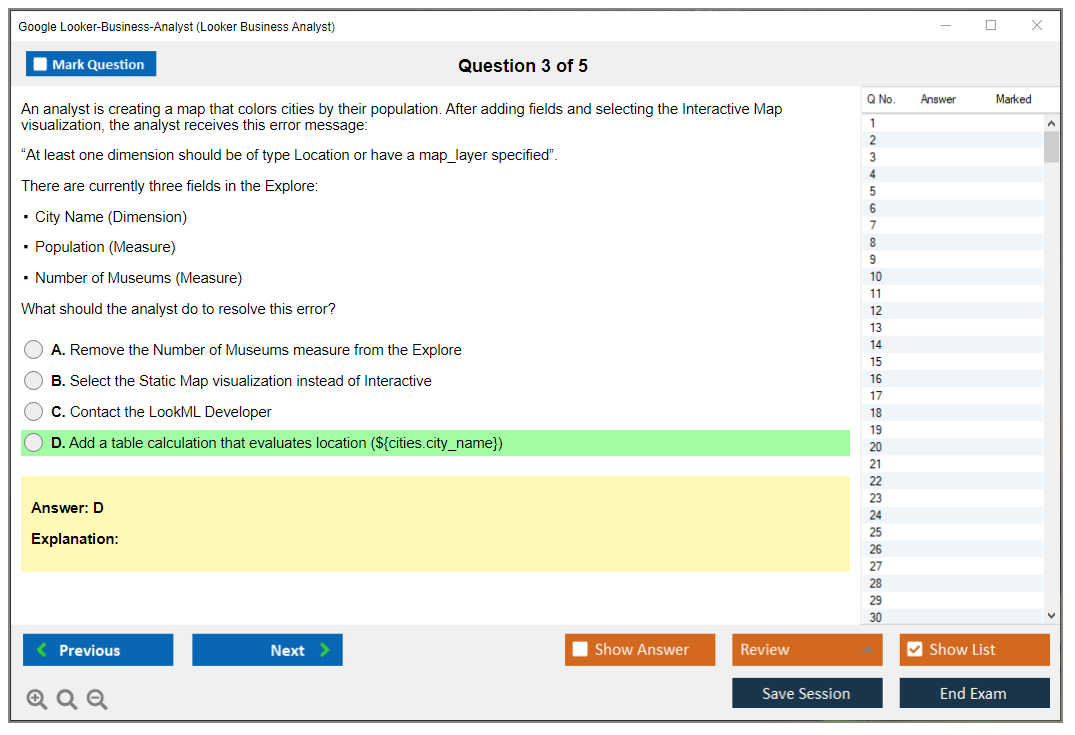
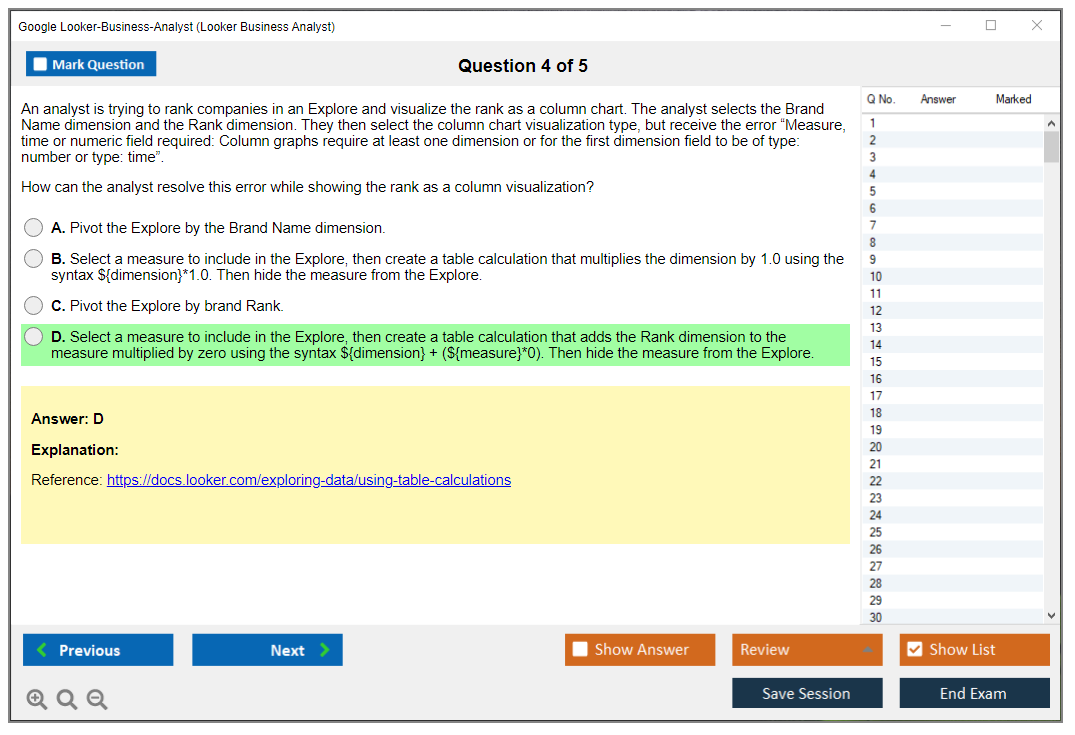
Customizing visualizations goes beyond picking colors that don't hurt your eyes during late-night dashboard reviews. You'll adjust axes to start at zero or not (context matters so much here), format numbers as currency or percentages with appropriate decimal places, use conditional formatting to highlight metrics above or below thresholds, and create table calculations for ratios, period-over-period differences, or custom metrics that measures alone can't handle. Not gonna lie, understanding when to use table calculations versus asking a developer to add a new measure? That takes real experience and you'll probably get it wrong a few times first.
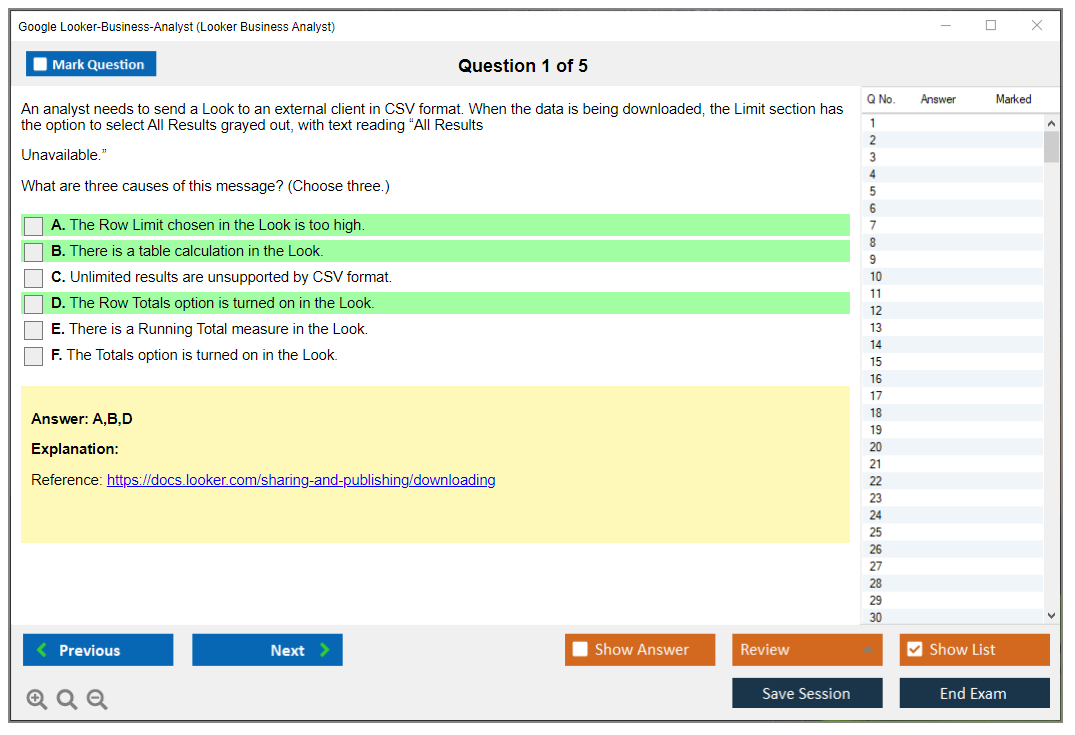
Downloading results in various formats matters too. CSV for Excel jockeys. JSON for developers. PDF for executives who print everything despite your company's sustainability initiatives. I once worked with a VP who printed every dashboard tile separately and taped them to his office wall, but that's another story entirely.
Dashboards that tell stories instead of confusing everyone
Domain 3 focuses on dashboards, which are collections of tiles arranged to answer related business questions in a coherent way that guides decision-making rather than just dumping data on people's screens. You can build them from scratch or use templates as starting points, then add Looks, text explanations, images, and navigation buttons.
Arranging tiles well? Matters more than people think. Important metrics at the top, supporting details below, logical flow from overview to specifics so users don't have to hunt for the information they need.
Dashboard-level filters let users interact with data themselves instead of requesting twelve versions of the same report with slightly different date ranges. Cross-filtering enables drill-through experiences where clicking one tile filters others dynamically. Linking dashboards creates navigation paths for storytelling. You customize appearance with themes and spacing, but also need to understand performance considerations. Dashboards with 30 tiles querying massive datasets will load slowly and annoy everyone who's trying to check metrics during their morning coffee.
Organizing dashboards in folders and boards for different audiences (executives see high-level metrics, operations teams see detailed breakdowns) is part of governance. Editing based on stakeholder feedback is ongoing work, not a one-time task you can check off and forget.
Sharing and scheduling without creating security nightmares
Domain 4 covers collaboration workflows.
Real important stuff here.
Sharing Looks and dashboards requires setting appropriate permissions. View access for most people, edit for content creators, manage for admins who won't accidentally delete everything. Scheduling email delivery means configuring frequency (daily, weekly, monthly), format, and recipient lists so people get insights delivered without logging into Looker constantly because, the thing is, most stakeholders will never log in if they don't absolutely have to.
Alerts notify stakeholders when metrics cross thresholds, which is incredibly useful for things like inventory levels dropping below reorder points or customer churn rates spiking above acceptable ranges that require immediate intervention. Embedding Looker content in external portals extends reach beyond the Looker interface. Boards let you curate content, add context through descriptions, and organize insights for specific teams or projects.
Understanding data security in sharing workflows is key. You can't accidentally give sales reps access to confidential HR metrics just because you shared a folder carelessly during a Friday afternoon brain fog.
Actually understanding what dimensions and measures mean
Domain 5 tests whether you truly grasp the difference between dimensions and measures beyond memorizing definitions for the exam and immediately forgetting them. Dimensions are attributes: customer names, product categories, dates, regions, all the descriptive stuff. Measures are aggregations: count of orders, sum of revenue, average deal size, minimum inventory level, maximum transaction value.
Measures aggregate data from row-level to summary-level through mathematical operations that transform thousands or millions of individual records into digestible numbers. A revenue measure sums individual transaction amounts into total revenue. Understanding how this aggregation works helps you recognize when measure calculations will be accurate versus when fanout and data duplication from joins create problems that inflate your numbers in completely wrong ways.
Symmetric aggregates ensure accurate calculations even with complex joins, but you need to recognize when they're necessary versus when simple aggregates work fine.
Dimension groups for dates let you analyze by day, week, month, quarter, or year without creating separate fields for each timeframe like some kind of data modeling amateur. Filter logic with AND, OR, NOT conditions, plus "is null" and "is not null" operators, determines which data appears in results. Applying dimension filters versus measure filters correctly matters. Filter on dimensions before aggregation, on measures after, or your numbers won't make any sense.
If you're also preparing for broader Google Cloud certifications, the Professional Data Engineer exam covers data modeling concepts in much more depth, while the Cloud Digital Leader certification provides foundational cloud knowledge that's useful context even if it's not directly tested here.
Data literacy and governance fundamentals
Domain 6 addresses organizational data practices that honestly determine whether your Looker implementation succeeds or becomes another abandoned tool. Consistent metric definitions across the company prevent arguments about whose revenue number is correct during quarterly business reviews. Looker aims to provide a single source of truth, which only works if people actually use it instead of maintaining shadow Excel spreadsheets on their desktops that never match anyone else's numbers.
The data dictionary and field descriptions explain what metrics mean and how they're calculated. Trusted versus untrusted data sources matter. Certified explores have been validated by someone who knows what they're doing, random user-created content maybe not so much. Data freshness and update schedules tell you whether you're looking at yesterday's data or last month's stale information that's completely useless for current decision-making.
Recognizing data quality issues? Critical skill. Missing values, outliers that don't make sense, inconsistencies between related fields. Part of being a competent analyst is catching these problems before your CEO presents wrong numbers to the board.
Dashboard design best practices and data storytelling principles help you communicate insights to non-technical stakeholders who just want to know what action to take, not the technical details of how you derived the numbers using complex aggregation logic they don't care about.
Knowing when to escalate questions to LookML developers instead of struggling with limitations you can't fix yourself saves time and frustration for everyone involved.
Troubleshooting when queries run slowly or break
Domain 7 covers performance optimization and error handling.
Slow queries frustrate users.
They waste resources and make people stop using your carefully crafted dashboards because waiting 45 seconds for data to load feels like an eternity in modern workplace culture. Simplifying by removing unnecessary fields, applying filters to reduce data volume, and understanding when cached results will be served versus when queries hit the database fresh all impact performance in ways that compound across hundreds of users.
Recognizing when to request optimized explores from developers (because the data model itself is inefficient, not just your query) requires understanding where bottlenecks occur in the data pipeline. Interpreting error messages and taking corrective action (fixing filter syntax, removing fields that don't exist anymore, adjusting permissions) is basic troubleshooting that separates competent analysts from people who immediately call for help.
Query limits and timeouts exist to prevent runaway queries from consuming all database resources and bringing down systems. SQL Runner in view-only mode lets you see the actual SQL generated from your explore, which helps you understand what's happening under the hood even though you're not writing SQL directly. Wait, this is actually super helpful for debugging complex issues.
Getting prepared without wasting time
The Looker Business Analyst Practice Exam Questions Pack at $36.99 gives you realistic questions covering all seven domains. Honestly? Most efficient way to identify weak areas and focus your studying where it actually matters. Practice tests reveal whether you actually understand pivot logic or just think you do, whether you can troubleshoot performance issues or just panic when queries run slowly and nothing obvious is wrong.
Hands-on practice matters more than passive reading of documentation.
Build dashboards. Create Looks with different visualization types. Apply complex filters that combine multiple conditions. Schedule deliveries. Set up alerts. The exam tests practical skills, not memorized definitions you'll forget next week. You need muscle memory for working through the interface, not just theoretical knowledge of what buttons exist somewhere in menus you've never explored.
Prerequisites and Recommended Experience
What Google actually requires
Here's the deal: Google Cloud has no formal prerequisites for the Google Looker Business Analyst exam. That's official. Honestly? I like it. Reflects reality, you know? Plenty of folks doing business intelligence reporting in Looker didn't climb some perfect certification ladder.
No gatekeeping. No required classes. Zero "must have X first" nonsense.
The exam's open to anyone wanting to validate Looker business analysis skills, period. You can register without completing mandatory training courses, and other certifications aren't required before you take it. Look, that doesn't mean you can wing it. The thing is, Google isn't forcing a specific path, and self-paced learning plus hands-on work is considered totally legitimate for getting ready.
One more opinionated note here: this "no prerequisites" thing? Double-edged sword. People hear it and assume the Looker Business Analyst exam difficulty is low, then they're surprised when questions start poking at governance, metric consistency, and all the fiddly details of explores, filters, and dashboard behavior that you only learn after breaking a few dashboards in front of stakeholders.
The experience you really want before sitting
If you want the exam to feel fair, I'd aim for 3 to 6 months of using Looker in a business analyst capacity. Not theoretical stuff. Not just watching videos. Actual usage where somebody asks, "can you pull this number by Friday?" and you've gotta deliver something that won't embarrass your team.
Daily exposure helps. Weekly deadlines help. Messy requests? They help most.
The core of that time should be regularly building Looks and dashboards for real stakeholders. You wanna be comfortable starting from an Explore, iterating, saving versions, then packaging the output into something a non-technical person can consume without a 20-minute explanation. And yeah, I mean the boring stuff too: naming, descriptions, not dumping 17 tiles on one dashboard 'cause you got excited.
Spend time getting familiar with the common explores in your organization's Looker instance. Matters more than people admit, honestly. The exam won't test your company's explores, obviously, but the mental habit of "which Explore is the source of truth for this question" translates directly into how you reason through Looker Business Analyst exam objectives. When you've lived inside an instance long enough, you start noticing patterns. Which explores are wide vs narrow, which ones join in a bunch of tables behind the scenes, which ones are safe for self-serve vs likely to confuse everyone.
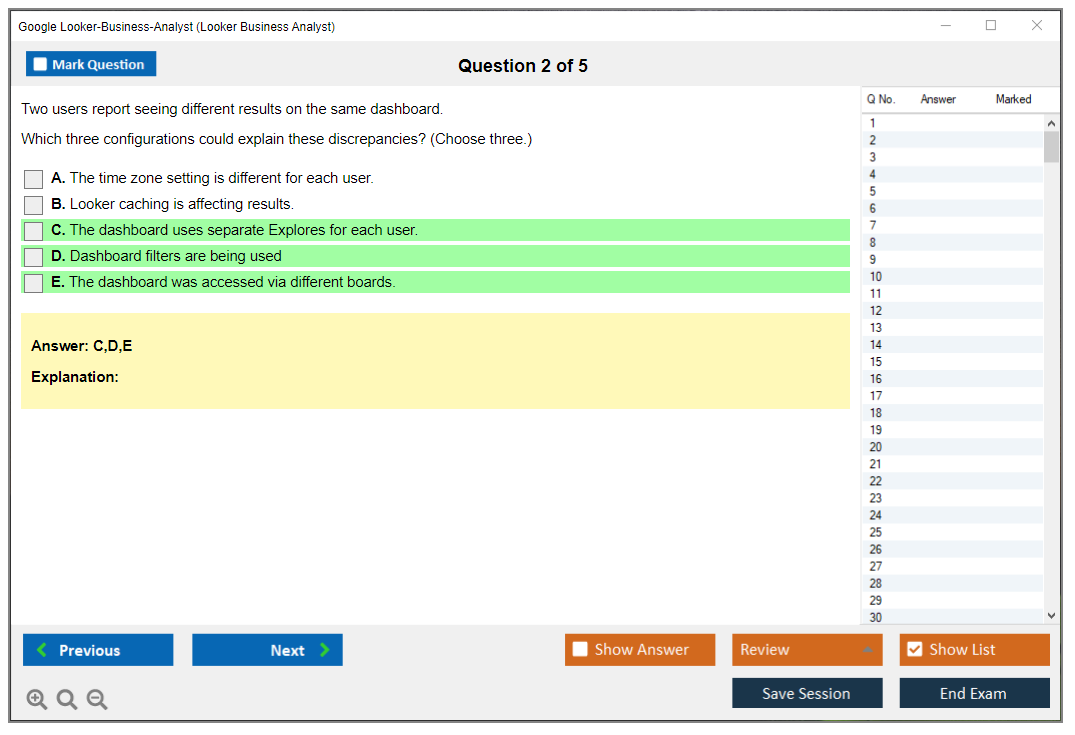
I'd also make sure you can confidently apply filters, pivots, and table calculations. Filters sound easy until you're debugging why a dashboard tile is blank because someone saved a filter value that doesn't exist anymore, or because a date filter is hitting the wrong timezone assumption. I mean, pivots are the same way: mechanics are straightforward, but the implications for readability and totals can get weird fast, especially when stakeholders expect Excel-like behavior. Table calculations are worth extra reps 'cause they're the closest thing many analysts get to "logic" inside Looker without touching LookML concepts, and the exam loves practical "what would you do here" scenarios.
Sharing and scheduling. Permissions awareness. Export behavior.
You should also have experience sharing and scheduling reports, 'cause that's a real-world workflow and it shows up in exam prep questions and scenario prompts. Knowing the difference between sending a one-time link versus scheduling a recurring delivery sounds small, but it touches governance and reliability. Those are the things separating "I made a dashboard once" from "I run reporting."
Finally, get some exposure to different visualization types and dashboard layouts. Not because the exam's a design contest, but because Looker has quirks: some charts communicate trends well, some hide outliers, and some make totals confusing if you don't label them clearly. When you've tried a few layouts, you stop treating dashboards like a dumping ground and start treating them like a product.
Understanding your data model (without becoming a developer)
You don't need to be a LookML developer for this exam, but you do need a practical understanding of your organization's data model and key metrics. The fastest way to fail in Looker? Misunderstand what a metric represents, then confidently ship the wrong number. The exam tends to reward people who think carefully about definitions and consistency, even if they never touch LookML.
This is where "Looker data modeling basics (LookML concepts)" helps in a conceptual way. You should at least know that explores are built on underlying views, joins affect row counts, and "the same metric name" can mean different logic depending on where you pull it from if governance isn't tight. Not gonna lie, the first time you realize your "Customer Count" changes based on which explore you used? That's the day you stop treating BI like magic.
Side note: I once spent three hours in a meeting arguing about whether "active customer" meant placed an order in 30 days or 90 days, only to discover we had both definitions in different explores and nobody documented which teams used which version. The VP just kept asking "so which number is real?" and honestly, both were real. That's when I learned that half of being good at BI is just making sure everyone's speaking the same language before you build anything.
BI fundamentals that make the exam feel normal
If you already have business intelligence fundamentals, the exam becomes way less mysterious. You should understand basic BI concepts like dimensions vs measures, and how aggregations work. If you've ever been burned by double-counting or by mixing grain levels in the same query, you're already learning the right lessons.
Asking questions. Exploring data. Validating results.
A typical data analysis workflow matters too. You start with a business question, explore data, validate the output, and sanity-check it against expectations. That "validate" step? Huge. Lots of Looker beginners stop at "the chart rendered," but the exam expects you to think like an analyst who knows data can be wrong, incomplete, or simply misunderstood.
You'll also want familiarity with common business metrics: revenue, conversion rates, customer counts, trends over time. These show up in phrasing, scenarios, and the general vibe of the questions 'cause the certification's aimed at people who translate data into decisions. And visualization best practices matter more than people think. Choosing the right chart type, avoiding misleading visuals, understanding how sorting and axes can change interpretation is part of being credible in front of the business.
SQL concepts (reading, not coding)
Google doesn't require SQL coding for the Google Looker Business Analyst exam, but conceptual SQL understanding makes Looker feel predictable instead of random. You should understand that databases store data in tables with rows and columns, and you should recognize the idea of SELECT, WHERE, GROUP BY, and JOIN even if you never type them out.
Filters map to WHERE. Totals map to GROUP BY. Joins change counts.
That mapping's the whole point. If you recognize how filters translate to WHERE clauses, you'll make fewer mistakes with dashboard filters and fewer wrong assumptions about why a number changed. Understanding aggregations like SUM, COUNT, AVG helps you reason about measures, and basic join awareness helps you spot the classic "my count doubled" problem. Honestly, most Looker pain is join pain wearing a friendly UI.
Comfort with tools and the "annoying details"
On the technical side, you mainly need to be comfortable working through web-based applications and learning new interfaces quickly. Looker isn't hard to click around in, but the exam expects attention to detail: configuring filters correctly, setting visualization options, scheduling deliveries, and troubleshooting when something doesn't look right.
This is where a problem-solving mindset matters. If a tile shows "No Results," do you panic, or do you check the filters, the date range, the field selection, and whether you're hitting a restricted dataset? The exam doesn't reward panic.
Access and context: you need a real instance
You need access to a Looker instance for hands-on practice, whether that's at work, a sandbox, or a trial. Reading docs alone won't build the muscle memory for explores, dashboard navigation, and the little UI behaviors that show up in scenario questions.
Also, interacting with LookML developers or Looker admins helps a lot. Even casual conversations like "which explore should I use for pipeline reporting" or "why is this metric certified" teaches you governance patterns. If you can join a Looker user community or internal training session, do it. You'll pick up the stuff nobody writes down.
A timeline that matches your starting point
If you're a beginner with no Looker experience, plan 4 to 8 weeks of study and practice. Not every day for hours, but consistent time where you build, break, fix, and repeat.
Some practice. Some review. Then more practice.
If you're intermediate, with some Looker time already, 2 to 4 weeks of focused review is usually enough, especially if you align your prep with the Looker Business Analyst exam objectives and do hands-on drills for the areas you avoid at work. Advanced daily users can often do 1 to 2 weeks of exam-specific preparation, mainly tightening up weaker spots like scheduling, governance, and edge cases in filtering.
If you want structured reps, a dedicated question pack helps you find blind spots fast. I've seen people move quicker when they pair hands-on time with something like the Looker-Business-Analyst Practice Exam Questions Pack, 'cause it forces you to answer like the exam, not like your internal team's habits.
Do a skills gap check before you "study"
Before you start, pull up the official objectives and rate your confidence in each domain. Be honest. If you've never built a dashboard from scratch, don't rate yourself a 4 out of 5 because you "view dashboards a lot."
Find weak areas like dashboard building, table calculations, scheduling, and governance. Prioritize study time on what's unfamiliar, then reinforce it with hands-on practice in Looker right away so it sticks. And if you want a quick way to pressure-test yourself, do a short timed set from the Looker-Business-Analyst Practice Exam Questions Pack and review every miss like it's a production incident, because that's the mindset the role rewards.
One last thing. If you're also wondering about details like Looker Business Analyst exam cost, Looker Business Analyst passing score, or Looker certification renewal, treat those as logistics, not prep. Prep is skill. Skill comes from time in the product, plus targeted review, plus practice questions that feel like the real thing, which is why I'm fine recommending the Looker-Business-Analyst Practice Exam Questions Pack as a supplement if you're trying to tighten your timeline without guessing what the exam writers care about.
Exam Difficulty: How Hard Is the Looker Business Analyst Exam?
So what's the actual difficulty level?
Moderate difficulty. That's the truth.
Look, I'm not gonna sugarcoat it. The Google Looker Business Analyst exam sits firmly in moderate territory, though honestly it's way easier than people make it sound if you've actually been hands-on with the platform. If you've been using Looker regularly for work, building dashboards and exploring data, you've got a solid foundation already in place. The exam expects you to know your way around the platform without needing to Google every feature.
Here's the thing though. This is way easier than the LookML Developer certification because you're not writing code or building data models from scratch. I mean, you're working with what's already there: explores, dimensions, measures, visualizations. The LookML exam expects you to understand schema design and write actual code, while the Business Analyst track focuses on using Looker's interface to answer business questions and build reports.
Pretty comparable, really. Compared to other BI analyst certifications like Tableau or Power BI, it's in the same ballpark. Maybe slightly easier if you already know Looker well, slightly harder if you're coming from a different BI tool because Looker has its own quirks and terminology that don't always translate cleanly. The difficulty varies based on your background. Someone with three years of BI experience who's been in Looker for six months will find this way easier than a fresh analyst who just started using the platform last month.
What actually trips people up
Scenario-based questions are where things get real. The exam doesn't just ask "what does this button do?" It gives you a business situation and makes you choose the right approach from multiple plausible options. Should you use a filter, a pivot, a table calculation, or rebuild the Look entirely? These questions test whether you actually understand how Looker works in practice, not just memorized definitions.
Tricky decisions everywhere. The decision-making aspect gets complicated because you'll face questions about choosing the right visualization type for specific data scenarios, deciding between dimension filters and measure filters, or figuring out the best way to share insights with different stakeholders. Multiple-select questions are particularly brutal because you need ALL the right answers. No partial credit means you can't just guess your way through.
Looker-specific terminology will mess you up if you're not careful. Dimensions versus measures sounds basic until you're dealing with nested fields or table calculations that reference both simultaneously. The platform uses terms like "explores," "pivots," and "symmetric aggregates" that don't always map cleanly to other BI tools you might've used. I once spent twenty minutes debugging a filter that wasn't working only to realize I'd confused a dimension group with a regular dimension. Felt pretty stupid, but that's how you learn.
Governance and collaboration features don't get as much attention in day-to-day work but they're definitely on the exam, which catches people off guard. Questions about scheduling, alerting, folder permissions, and content validation can surprise you if you've mostly focused on dashboard building. I mean, how often do you really think about board sections or embed authentication in your daily work?
Time pressure is real. Ninety minutes for 50-60 questions sounds reasonable until you hit a complex scenario that requires careful reading and critical thinking. That's less than two minutes per question, and some take way longer to parse through all the details. You can't afford to spend five minutes agonizing over edge cases or second-guessing yourself.
Common ways people fail this thing
Insufficient hands-on practice kills more candidates than anything else, period. Reading documentation and watching videos feels productive, but it doesn't build the muscle memory you need to work through the interface quickly. You have to actually click through Looker, build dashboards, experiment with filters and pivots, break things and fix them to really understand. Theory only gets you so far.
People underestimate the governance and collaboration domains constantly, which is a huge mistake. Everyone focuses on dashboard building because that's the fun part, but the exam allocates significant weight to sharing, scheduling, permissions, and data governance topics. Skipping these sections in your prep is asking for trouble.
I see candidates confuse dimensions and measures all the time, especially when filters enter the picture and things get complicated. A dimension filter affects which rows are included before aggregation. A measure filter affects results after aggregation. Sounds simple, but questions will test this in sneaky ways that make you second-guess. Same deal with pivots and table calculations, people don't practice enough with these to understand when and how they apply.
Honestly, skipping practice exams? Huge mistake. You need to experience the question format, the time pressure, the way scenarios are worded before sitting for the real thing. Practice tests reveal your weak spots so you can focus your remaining study time where it actually matters. Without them, you're going in blind.
Poor time management during the actual exam catches people too. You spend fifteen minutes on question 12, then rush through the last twenty questions and make careless mistakes.
Flag tough ones. Move on. Come back if time permits.
Who breezes through on attempt one
Candidates with six months or more of regular Looker use typically pass without too much drama or stress. Regular means you're building dashboards and Looks at least weekly, not just clicking through existing reports someone else created. That hands-on experience matters way more than reading docs for hours.
Business analysts who actually build stuff have a massive advantage over consumers. If you're the person your team comes to for new dashboards, you've probably encountered most of the scenarios the exam throws at you already. You know which visualization works for time series, how to set up drill paths, when to use table calculations versus measures.
Structured training makes a difference, I've noticed. People who complete official Google Looker courses or hands-on labs tend to cover all the exam objectives systematically rather than leaving gaps in their knowledge. Self-study works if you're disciplined, but structured programs keep you honest about what you actually know versus what you think you know.
Using practice exams to identify weak areas is key. Take a practice test early, see where you score poorly, then focus your study there specifically. Take another practice test, repeat the process until you're consistently scoring well. This targeted approach beats generic studying every time.
Who struggles and why
New users with under three months of experience usually aren't ready, honestly. You need time to internalize Looker's approach to BI, which differs from traditional reporting tools in fundamental ways. Three months of casual use isn't enough to build the depth required.
Dashboard consumers who don't build will struggle hard, no question. If you only interact with Looker by clicking filters and downloading CSVs, you haven't developed the understanding needed to pass an exam testing dashboard creation. The exam assumes you know how to construct reports, not just use them.
Candidates without BI or data analysis background face an uphill battle from the start. The exam assumes you understand concepts like aggregation, joins, date functions, and basic statistical visualizations as baseline knowledge. If that's all new to you, you're learning Looker AND BI fundamentals simultaneously. Wait, that's basically learning two things at once, which makes everything harder.
Relying on memorization instead of hands-on practice fails almost every time. You can't memorize your way through scenario questions that require judgment. You need to have actually worked through similar situations to recognize the right approach quickly.
People who skip governance, scheduling, and collaboration features leave points on the table unnecessarily. These aren't optional, they're testable objectives that appear regularly. Same goes for skipping official documentation and learning paths, which directly inform exam content.
How exam difficulty compares to actual work
The exam covers a broader feature set than most daily users encounter. In real work, you might use 20-30% of Looker's capabilities regularly depending on your role. The exam tests maybe 70-80% of the platform's features, including edge cases and less common workflows.
Questions test situations you might encounter once a quarter in actual work but need to answer confidently in 90 seconds on the exam without hesitation. Like advanced pivot configurations or specific governance scenarios that only come up occasionally.
Real-world usage lets you Google stuff or check documentation when stuck on something unfamiliar. The exam requires knowledge recall under time pressure, which is a different skill entirely. That's why practice tests matter, they simulate that pressure so it doesn't blindside you.
Similar to how the Professional Data Engineer exam tests broader GCP data services than most roles use daily, the Looker Business Analyst exam ensures you understand the full platform comprehensively, not just your specific use cases. It validates broad knowledge, which makes sense for a certification but feels harder than day-to-day work.
Conclusion
Wrapping up: is the Google Looker Business Analyst exam worth your time?
Okay, real talk here.
I've walked you through the cost, passing score, exam objectives, and honestly the whole prep space for the Looker Business Analyst certification. Everything you'd need to make an informed call. So now you're probably sitting there wondering if you should actually commit your time and money to this thing. Here's my take, and I've got mixed feelings: if you're working with business intelligence reporting in Looker or planning to dive in soon, this cert gives you structured proof that you understand Looker dashboards and explores. Not just clicking around hoping stuff magically works out.
The exam isn't easy. Period.
You need real hands-on experience with dimensions, measures, filters. The stuff that makes Looker actually useful for answering business questions instead of generating pretty charts nobody understands. I mean sure, you can memorize LookML concepts and data modeling basics straight from docs, but the tricky scenarios they throw at you test whether you've built dashboards under deadline pressure or explained metrics definitions to stakeholders who honestly don't care about your joins. That practical context matters way more than people realize when they're just starting out, which is kinda frustrating because nobody tells you upfront.
Exam difficulty really depends on your background, though. If you've spent months creating Looks and scheduling reports, you'll find it manageable but not trivial. Google designed it to validate real competency, not just memorizing theory from some PDF. New to Looker? Budget 3-4 weeks minimum with a solid study plan that includes hands-on labs, official learning paths, and yeah, practice tests that mirror actual question styles and difficulty levels.
The thing is, this is where most candidates either lock in their pass or waste their exam fee. You need realistic Looker Business Analyst practice test material that covers governance scenarios, collaboration workflows, and the conceptual data literacy questions they love to ask. I'm not gonna lie, the generic "BI fundamentals" stuff you find online won't cut it. You need questions that actually reflect how Looker approaches sharing insights and maintaining consistent reporting across teams. Not just textbook definitions.
Side note: I've noticed a lot of people obsess over memorizing every LookML parameter when they'd be better off understanding how dimensions relate to measures in actual reporting scenarios. Like, you're not gonna write complex LookML as a business analyst anyway, but you absolutely need to know how filtered measures behave differently than table calculations when someone asks why two reports show different numbers for the same metric. That's the stuff that trips people up.
The Looker certification renewal process is straightforward enough, but don't let your cert lapse if you're actively using it for job applications or internal credibility. Employers in the Google Cloud Looker certification path space absolutely check dates.
Ready to lock this down? Grab the Looker Business Analyst Practice Exam Questions Pack and work through timed sets like you're sitting for the real thing. Review weak areas, focus on exam objectives you're shaky on, then book your exam when you're consistently hitting passing-range scores. You've got this, just don't skip the prep work.
