

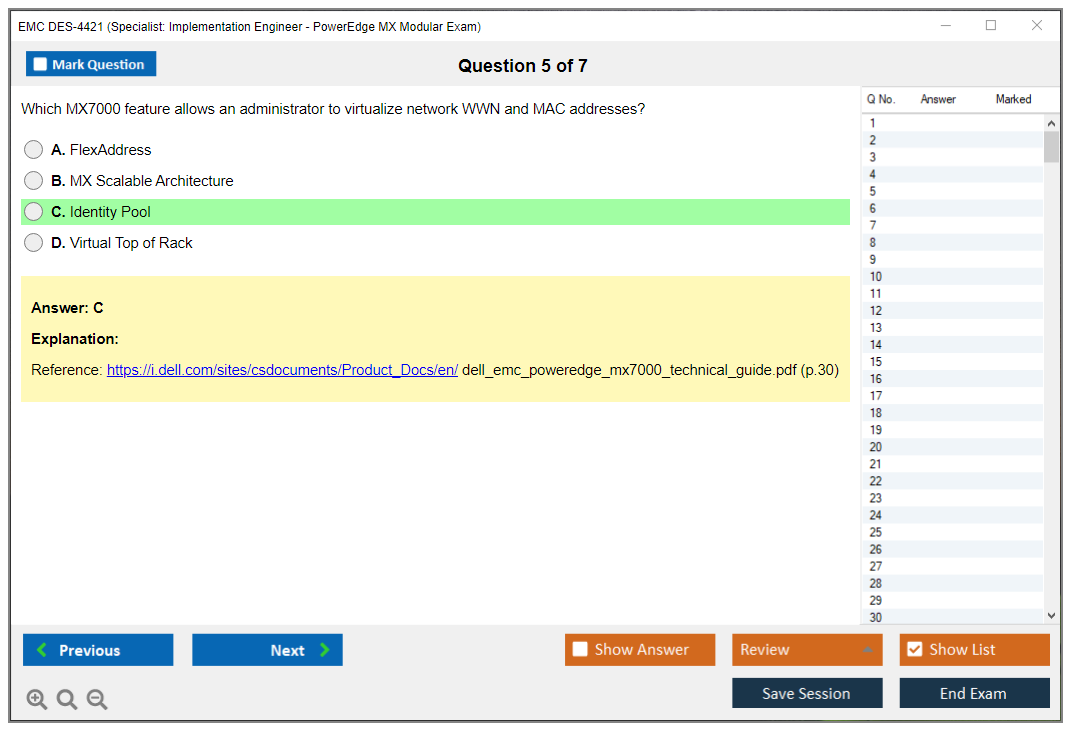
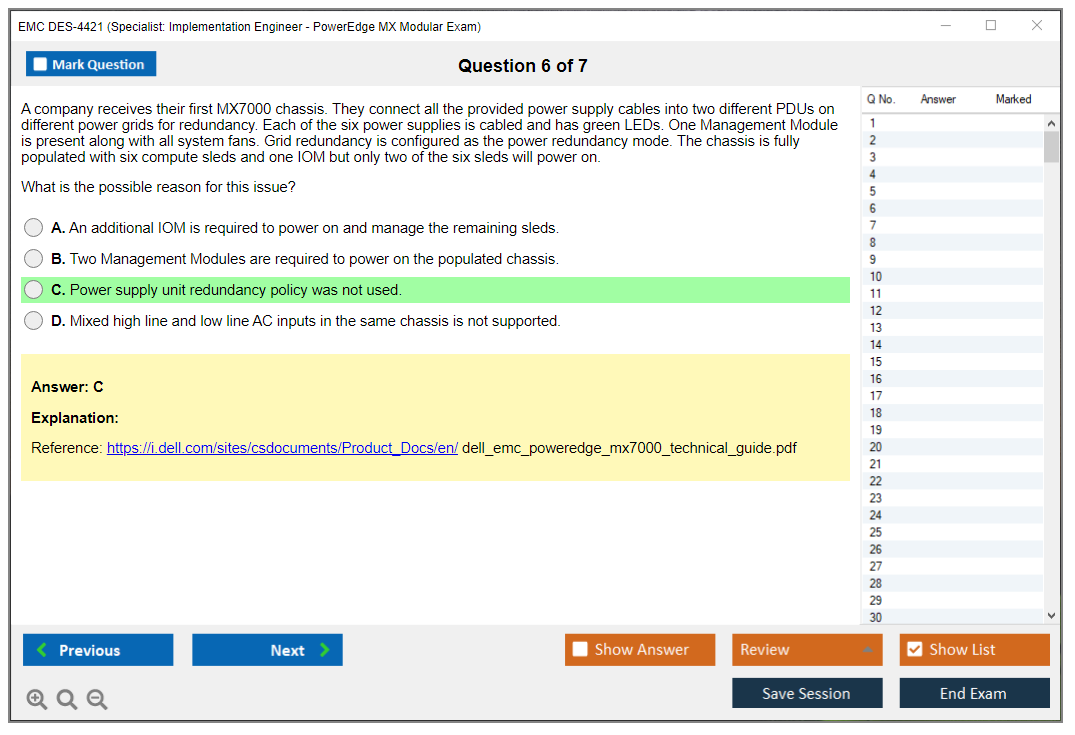
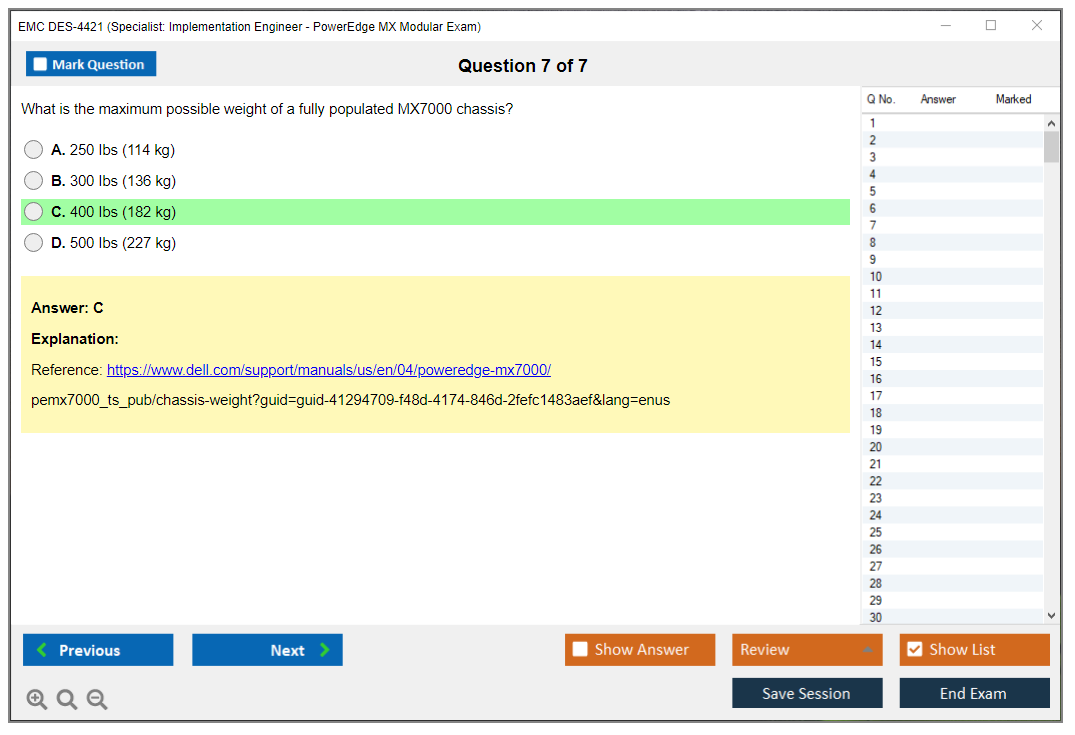
EMC DES-4421 Overview: Specialist - Implementation Engineer, PowerEdge MX Modular Certification
What you're actually getting with DES-4421
The EMC DES-4421 certification (officially called Dell EMC Specialist, Implementation Engineer, PowerEdge MX Modular) is designed for folks who actually deploy and configure modular infrastructure, not just read about it in vendor whitepapers. We're talking hands-on work with the MX7000 chassis, compute sleds, fabric modules, and the OME-Modular management console. This isn't some theory exam where you memorize definitions and call it a day. It validates you can walk into a data center, rack a modular chassis, cable it correctly, bring up the management interface, and actually deploy compute resources without calling support every fifteen minutes.
The cert sits in Dell Technologies' technical certification track as a Specialist-level credential. You're past the Associate basics but not quite at the Expert tier where you're designing entire converged architectures. It's the sweet spot. Implementation engineers who need to prove they know the platform inside out find this valuable. The focus is squarely on PowerEdge MX modular infrastructure: think MX740c, MX750c, MX840c compute sleds, fabric switching modules, and how OME-Modular ties it all together for lifecycle management.
What makes this certification actually valuable? It demonstrates proficiency in modern software-defined infrastructure. The industry's moving toward these modular, composable platforms because they scale better than traditional rack servers for cloud-scale deployments. If you're working with enterprise customers who need flexible compute that can adapt to workload changes (and most do these days), this certification shows you understand both the hardware layer and the software abstraction that makes it work.
Who should actually take this thing
Implementation engineers are obvious candidates. Your job's literally deploying PowerEdge MX systems in customer environments. Pulling hardware out of boxes, racking chassis, configuring network uplinks, making sure everything boots properly before you hand it off. Field service engineers and technical support specialists also benefit because troubleshooting MX deployments requires understanding how all the components interact at a granular level.
Data center administrators managing modular infrastructure need this too. If you're responsible for keeping these systems running day-to-day, you better understand firmware updates, sled replacement procedures, and how to recover when a fabric module decides to have a bad day. And trust me, they do. Systems integrators working with Dell EMC enterprise solutions find this cert useful because customers expect you to know the platform cold when you're proposing a six-figure infrastructure refresh.
IT professionals transitioning to modular, software-defined architectures should consider DES-4421 if they've got server or networking background. The exam assumes you understand basic data center concepts (VLANs, redundancy, server boot processes) but teaches you how those concepts apply in a modular chassis where compute and networking are partially abstracted. Pre-sales engineers sometimes pursue this when they want deep technical validation for architecting solutions that include MX components.
Career changers with solid server and networking experience can use this as a specialization path because if you've been working with traditional rack servers and want to differentiate yourself, modular platforms are where lots of enterprise spending's headed. Getting certified shows you're not stuck in 2015 thinking about infrastructure, which matters more than people realize when hiring managers are reviewing resumes. I've seen people jump two salary bands just by proving they understand where the industry's going instead of where it's been.
Real-world skills this exam actually tests
The DES-4421 exam objectives cover physical installation and cabling of MX7000 chassis components. Power distribution, network uplinks, management connectivity. You need to know which cables go where and why redundancy matters for production deployments. Initial configuration and bring-up procedures are heavily tested, so how do you access OME-Modular for the first time? What's the correct sequence for initializing a new chassis? What network settings matter before you can start deploying sleds?
Compute sled deployment gets significant attention in the exam blueprint. You'll need to understand the differences between MX740c, MX750c, and MX840c configurations, how to assign sleds to specific slots, and how resource allocation works in a shared infrastructure model where multiple workloads compete for the same underlying resources. Fabric module installation and network topology design are critical. These modules handle both data plane and management plane traffic, and configuring them incorrectly creates performance bottlenecks or connectivity failures that'll have users screaming at you.
OME-Modular console navigation makes up a big chunk. Administrative tasks too. Where do you configure firmware updates? How do you monitor sled health? What alerts matter versus noise? Firmware and driver lifecycle management across chassis components is tested extensively because keeping everything at compatible versions is actually harder than it sounds when you've got multiple sleds, fabric modules, and storage controllers all needing coordination. One wrong firmware version and suddenly nothing talks to anything else properly.
Troubleshooting hardware, network connectivity, and management issues separates people who memorized slides from people who've actually fixed broken deployments at 2 AM. The exam includes scenario-based questions where something's wrong and you need to identify the root cause using logical diagnostic steps. Best practices for high-availability and redundancy configurations come up because enterprise customers don't accept single points of failure. Period. Integration with existing data center networking and storage environments matters too. MX systems don't exist in isolation, they need to play nicely with your existing switching fabric and storage arrays, which adds complexity most people underestimate.
Why this certification matters in 2026
Growing enterprise adoption of modular infrastructure for cloud-scale deployments is the main driver. Organizations that previously bought traditional rack servers are switching to modular platforms. Better density. Easier management. More flexibility for workload changes. If you're certified on the platform they're buying, you're immediately more valuable than someone who's only worked with older architectures and needs six months to get up to speed.
The competitive advantage in the job market for specialized infrastructure roles? Real. General server admins are everywhere. Implementation engineers who can walk in and deploy a complex modular chassis configuration without hand-holding are much rarer, which naturally drives salary premiums. Higher salary potential for certified implementation engineers follows because specialized skills command better compensation. I've seen job postings specifically requiring DES-4421 or equivalent experience, and those roles pay 15-20% more than generic server positions at the same company.
DES-4421 can be a prerequisite for advanced Dell EMC certifications and Expert tracks. If you're planning to pursue Expert-level credentials in infrastructure solutions, having the Specialist certification already completed makes that path clearer and shows progression in your technical development. It also demonstrates commitment to continuous learning in evolving technologies, which matters when hiring managers are evaluating candidates who all claim to be "passionate about infrastructure" but only one has certifications backing that up.
The certification validates expertise in software-defined, API-driven infrastructure management. This matters because modern data centers are increasingly automated. Nobody's logging into GUIs to provision hundreds of servers manually anymore. Understanding how to interact with OME-Modular programmatically, how to integrate with orchestration tools like Ansible or Terraform, and how APIs expose infrastructure capabilities is valuable beyond just PowerEdge MX. Those skills transfer to other platforms and make you more versatile.
Career opportunities in managed services, consulting, and enterprise IT expand when you hold vendor-specific certifications like DES-4421 because managed service providers need certified engineers to support customer environments under SLA. Consulting firms value certifications because they can market your credentials when bidding on projects. Enterprise IT teams prefer hiring people who already know the platforms they've standardized on, reducing training time and risk of expensive mistakes during onboarding.
How DES-4421 fits the bigger certification picture
DES-4421 is a Specialist-level certification, mid-tier in Dell's hierarchy, between Associate and Expert levels. It can lead to Expert-level certifications in infrastructure solutions if you want to continue advancing through their professional development framework. The certification complements other Dell EMC tracks. You might combine it with storage certifications like DES-1221 for PowerStore or DES-1423 for Isilon if you're working with full-stack infrastructure projects where compute and storage need to be designed together as integrated solutions.
It also pairs well with converged systems certifications. If you're working with VxRail deployments covered by DES-6321, understanding the underlying PowerEdge MX platform makes you stronger on the compute side since VxRail abstracts many of those details but troubleshooting sometimes requires going deeper. Some engineers combine DES-4421 with VMware certifications for full-stack expertise. Many MX deployments run virtualized workloads, so knowing both the physical infrastructure layer and the virtualization layer makes you significantly more capable than someone who only knows one side.
The certification fits with Dell Technologies Proven Professional program structure, which means your credential gets tracked in their system and shows up on partner portals if you're working for a Dell partner organization. This actually matters for partners who need certain certification counts to maintain status levels.
What employers actually recognize about this cert
Employers seeking Dell EMC-certified talent specifically look for credentials like DES-4421 when hiring implementation engineers or field service roles because it demonstrates vendor-specific expertise beyond generic server knowledge. Anyone can claim they know servers, but certification proves you've validated specific platform expertise through a standardized assessment that Dell backs. The practical implementation skills matter more than theoretical knowledge because this certification tests scenario-based competencies, not just memorization of product specs you'll forget in three months anyway.
Career advancement in enterprise infrastructure roles becomes easier when you have recognized certifications. Promotions to senior engineer or architect positions often require demonstrating advanced technical skills, and certifications provide objective evidence that HR departments and management understand even if they don't grasp the technical details. The credential provides credibility when working directly with Dell EMC customers because they know you've met vendor standards for competency, which reduces their perceived risk when you're touching their production systems.
Your professional profile on LinkedIn and technical resumes gets stronger. Recruiters search for specific certifications, and DES-4421 helps you appear in those searches when they're filtering hundreds of candidates for specialized roles. Certification alone won't make you an expert if you've never touched the hardware or debugged a failed deployment, but combined with hands-on experience, DES-4421 validates you're competent in a specialized area that's growing in enterprise adoption. That combination (cert plus real deployment experience) is what actually opens doors and gets you past the initial screening that eliminates 80% of applicants before technical interviews even start.
DES-4421 Exam Details: Format, Cost, Duration, and Passing Score
EMC DES-4421 overview (Specialist, Implementation Engineer, PowerEdge MX Modular)
The EMC DES-4421 certification is the Dell exam that maps to real deployment work on Dell's modular server platform, aka Dell EMC PowerEdge MX modular infrastructure. Ever been the person unboxing a chassis? Racking it, wiring it, bringing it up, then getting blamed when VLANs don't pass traffic? This is your exam.
It's not some "theory of servers" thing. We're talking about getting an MX environment installed, configured, managed, and kept stable, with heavy focus on MX7000 chassis deployment and configuration, OME-Modular management, and the parts everyone mixes up like compute sleds and fabric modules.
What the certification validates
This cert proves you can handle implementation tasks solo. That includes initial chassis setup, firmware and lifecycle tasks, basic fabric configuration choices, and day-two operations under PowerEdge MX troubleshooting and maintenance.
Also? Terminology matters. Dell loves exact words in questions. You'll see "chassis," "sled," "fabric," and "I/O module" used very precisely, especially in scenario prompts that sound like actual tickets from customer sites.
Who it's for (and who it annoys)
This fits implementation engineers, partner field engineers, data center admins, and anyone chasing the PowerEdge MX Implementation Engineer Specialist label for partner requirements.
Honestly, if you're purely a VMware admin who never touches hardware, you can still pass, but you'll feel the friction. A lot of the exam assumes you've clicked around OME-Modular before and you understand physical topology, uplinks, and what changes when you move from standalone rack servers to modular.
Roles and real-world skills covered
Expect the exam to reward practical thinking. What you check first when a chassis won't discover a module. How you validate management connectivity. Which workflow in OME-Modular actually gets you from "powered on" to "ready for workloads."
The DES-4421 exam objectives tend to line up with real rollout phases, not academic chapters.
DES-4421 exam details (format, cost, passing score)
Here's the part most people Google at 1 a.m. The DES-4421 PowerEdge MX Modular exam is structured like a typical Dell Specialist exam, but with enough scenario flavor that you can't just memorize vocabulary and hope for the best.
Exam format and duration
- Exam code: DES-4421
- Full title: Specialist - Implementation Engineer, PowerEdge MX Modular Exam
- Question types: multiple-choice plus scenario-based questions (you read a situation, pick the best action, sometimes multi-select)
- Number of questions: typically 40,60 (Dell doesn't always publish an exact count, so don't anchor your timing strategy to 60 exactly)
- Time allocation: 90 minutes total
Closed-book. No notes. No vendor PDFs on a second screen. That's fine, because this exam is less "what page is that on" and more "what's the right move when the chassis is half configured and the customer is staring at you."
It's delivered via Pearson VUE testing platform, primary language is English. Regional language options sometimes exist, sometimes don't. They change, so check the current listing when you schedule.
Exam cost (price, region notes, voucher options)
The DES-4421 exam cost is usually the first gut check for people paying out of pocket.
- Standard fee: $230 USD (as of 2026, subject to change)
- Regional variations commonly seen:
- €200,220 EUR
- £180,200 GBP
- ¥25,000,28,000 JPY
That price is one attempt. Period. You fail? The retake policy is simple and painful. You pay the full fee again for attempt two.
Refunds? Yeah. Typically no refunds after scheduling, and reschedule fees may apply if you try to move it inside the 24,48 hour window. Read the Pearson VUE policy in your region because the exact cutoff timing is where people get burned.
If you're in a partner org, ask about corporate voucher programs through the Dell EMC Partner Program. Those exist, but they're not magic, and sometimes the "discount" is really just that your company already has a pool of vouchers. Training bundle discounts can also show up when you buy official training with the exam. Nice if you're already planning to take the course anyway.
One more annoying detail. Taxes. Depending on where you live, local VAT/GST can apply, so the checkout total can be higher than the headline number. I once watched someone's face change color when they got to the final payment screen and saw an extra 20% they hadn't budgeted for. Not fun when you're spending your own money.
Passing score (what Dell publishes vs. what to expect)
The DES-4421 passing score is typically around 63%, but don't treat that as a promise written in stone. Dell EMC uses scaled scoring, meaning your raw correct answers get converted to a scale (commonly 100,1000), and the published threshold can vary by exam version.
Scoring realities people miss:
- No partial credit on multi-select. If it says "choose two" and you choose one correct and one wrong, that's usually just wrong.
- No "curve." This is criterion-referenced. You're measured against a standard, not against other test takers.
- You get a score report immediately after you finish, with pass/fail plus a domain-level performance breakdown. It won't tell you the exact questions you missed, but it will tell you where you were weak.
Registration and exam delivery (online vs. test center)
Scheduling is straightforward, but details matter.
- Create an account at pearsonvue.com/dell
- Search the Dell EMC catalog for DES-4421
- Pick a test center or online proctoring
- Choose a date/time, pay via card, voucher, or corporate billing
- You get a confirmation email with appointment details and ID requirements
- Reschedule or cancel up to 24 hours before the appointment (fees may apply)
Availability varies wildly. Some cities have lots of slots. Some have basically none. Plan ahead.
Exam delivery options: test center vs. online proctoring
Test center delivery
Test centers are the boring safe choice. You show up, they check your IDs, they put your stuff in a locker, and you take the exam on their workstation with a standardized interface.
You'll usually go through ID verification plus some form of check-in procedure, sometimes biometric depending on location. The upside? Focus. The environment is controlled, and you don't lose your attempt because your webcam driver decided to update itself.
Recommended if you want structure. Or if your home is loud.
Online proctoring (OnVUE)
OnVUE is flexible, but it's picky. You take the exam at home or in an office with a live remote proctor watching you through webcam.
You need a private room, stable internet, and a clean desk. No second monitor. No notes. No phone nearby. Even "harmless" stuff like a whiteboard on the wall can cause trouble if it's in view.
Do the system check 24,48 hours before exam day. Do it twice, because OS updates and security tools can break the secure browser at the worst possible time. And the thing is, Pearson VUE is not sentimental about rescheduling when it's your machine that fails.
What to bring on exam day
Two forms of government-issued ID. Primary must have photo and signature.
Bring your confirmation number too. Not because you always need it, but because when something goes sideways at check-in, having it saves time.
Arrive 15,30 minutes early. At a test center, you'll store personal items (bags, phones, watches, notes) in a locker. You'll get scratch paper and a pen or pencil from the facility. You can't keep it afterward.
DES-4421 exam objectives (what you need to know)
Dell doesn't always spell every detail out publicly, but the DES-4421 exam objectives usually cluster around the same practical buckets.
Platform architecture that shows up in questions
You need a clear mental model of the MX platform. Chassis components. Management modules. Fabric options. Where things plug in. What depends on what.
If you can't explain, in plain words, how an MX7000 is different from "a bunch of rack servers," you'll get tricked by scenario questions that hide the real issue inside topology details.
Installation and initial configuration (MX7000 bring-up)
Expect questions about first-time access, initial configuration steps, identity and addressing basics, early lifecycle tasks.
You should be comfortable with the concept of doing a sane baseline before the customer starts asking for production changes.
Networking and fabric configuration (I/O modules, uplinks, VLANs)
This is where people bleed points. Fabric modules and uplink choices, plus the way modular networking abstracts what you're used to on standalone servers.
Some questions read like: "Here's the symptom, here's the current config. What do you change first?" That's not memorization. That's having done it once.
Management and monitoring (OME-Modular)
OME-Modular management is all over this exam. Inventory, configuration workflows, firmware updates, template-ish thinking, and how you confirm the environment is healthy.
You don't need to be a wizard. But you do need to know where the common settings live and what tool Dell expects you to use for a given task.
Troubleshooting and maintenance
This is the "field engineer energy" section. Component failures. Misconfigurations. Basic health checks. What logs or views you check first.
Fragments. Symptoms. Root cause.
Prerequisites and recommended experience
Prerequisites (official vs. practical)
Dell doesn't always list hard DES-4421 prerequisites like "must hold X first," but practical prerequisites are real. If you've never seen an MX chassis, budget time for videos, docs, and at least some hands-on exposure.
Hands-on experience recommendations
Ideally you've done one deployment. Or at least shadowed one. Racking, cabling, initial bring-up, and a couple of change requests.
Can't get hardware access? Spend extra time in documentation and interface walk-throughs. The exam scenarios assume you know what's normal.
Difficulty and passing strategy
Hard? Depends on your background.
Do modular deployments? You'll find it fair. New to Dell modular? The difficulty is that the exam mixes physical realities with management workflows, and you can't fake that by cramming terms. Because the scenarios force you to pick the action that fits the platform's logic and tooling.
Study time. For experienced implementers, 1,2 weeks of focused review is often enough. For everyone else? 3,6 weeks is more realistic, especially if you're building comfort with fabrics, OME-Modular screens, and troubleshooting patterns.
Best study materials for DES-4421
Official study materials and docs
Start with Dell's official exam guide/objectives if available for your region, then anchor your notes to the docs that match what you'll touch at work: MX7000 deployment/config guides, OME-Modular docs, and relevant networking/fabric module references.
Lab setup options
Real hardware is best. Can't get it? Do what most people do. Read workflows, watch demos, and map each task to where it lives in the UI.
Keep a running list of "things that sound similar but are not." That's a classic exam trap.
DES-4421 practice tests and exam prep resources
A DES-4421 practice test can help, but be picky. If it's a brain dump? Skip it. If it has explanations that teach you why an answer is right, it's useful.
I mean, you're not training to win trivia night. You're training to make the right call on a chassis deployment when time is tight.
Good DES-4421 study materials usually include scenario explanations, screenshots or workflow references, and pointers back to official docs.
Renewal, validity, and recertification
Dell's certification policies can change, so check the current program rules for validity period and recert options tied to this Specialist exam.
Keep your skills current anyway. Firmware updates, new fabric options, and changes in OME-Modular behavior can subtly shift what "best answer" means over time. Even if the core concepts stay the same.
FAQs (quick answers)
What is the DES-4421 exam and who should take it?
It's the Dell Specialist exam for implementing PowerEdge MX modular systems, aimed at implementation/field engineers and admins who deploy and support MX environments.
How much does the DES-4421 exam cost?
Typically $230 USD (2026), with regional pricing around €200,220, £180,200, or ¥25,000,28,000, plus possible VAT/GST.
What is the passing score for DES-4421?
Usually around 63% using a scaled scoring model, though the published threshold can vary by version.
How hard is the DES-4421 exam and how long should I study?
Moderate if you've deployed MX before, tougher if you haven't. Plan 1,2 weeks with experience, or 3,6 weeks without.
What are the best study materials and practice tests for DES-4421?
Start with official Dell exam objectives and MX7000/OME-Modular documentation, then add reputable practice questions with explanations. Not dumps.
DES-4421 Exam Objectives: Full Domain Breakdown
So you're thinking about the DES-4421 exam. Look, this isn't your typical server certification where you rack-mount a 1U box and call it done. PowerEdge MX is modular infrastructure, which means you're dealing with a 7U chassis, multiple compute sleds, fabric switching inside the box, and a management layer that can span multiple chassis. Complex stuff, honestly. And Dell EMC wants to make sure you actually know how to deploy and troubleshoot this architecture before they hand you a specialist badge.
The EMC DES-4421 certification validates that you can walk into a data center, install an MX7000 chassis from scratch, configure compute sleds, set up the networking fabric, and manage the whole thing through OME-Modular. Real-world implementation skills. Not just theory. If you're a field engineer doing rack-and-stack plus initial config, or a systems admin managing Dell's modular platform, this cert proves you know your stuff. It's aimed at folks who actually touch hardware, not just people who click through web consoles.
What you're actually getting tested on
The exam covers six domains. Weighted differently, I should mention.
Some sections are huge, others are smaller but still critical. Domain 1 is all about platform architecture (20-25% of the exam). You need to understand the MX7000 chassis inside and out. The thing is a 7U beast that holds everything. Power supplies, fabric modules, compute sleds, the whole enchilada. You'll see questions on physical specs, power requirements (single-phase vs. three-phase matters in real deployments), cooling fan modules, and how the backplane connects everything. The chassis management controller handles all the orchestration, and you need to know about redundancy options because nobody wants a single point of failure.
Compute sled types? Different animals entirely.
MX740c is your dual-socket workhorse. High-density, flexible, handles most general workloads. MX750c is single-socket but GPU-optimized. Think AI/ML workloads or VDI environments where you need graphics horsepower. MX840c is the big boy: four-socket, mission-critical stuff, the kind of sled you use when downtime isn't an option. Each sled type has different CPU support, memory capacity, local storage options, and mezzanine card slots for I/O expansion. The thing is, you need to know which sled fits which workload or you'll spec the wrong hardware for your customer's environment.
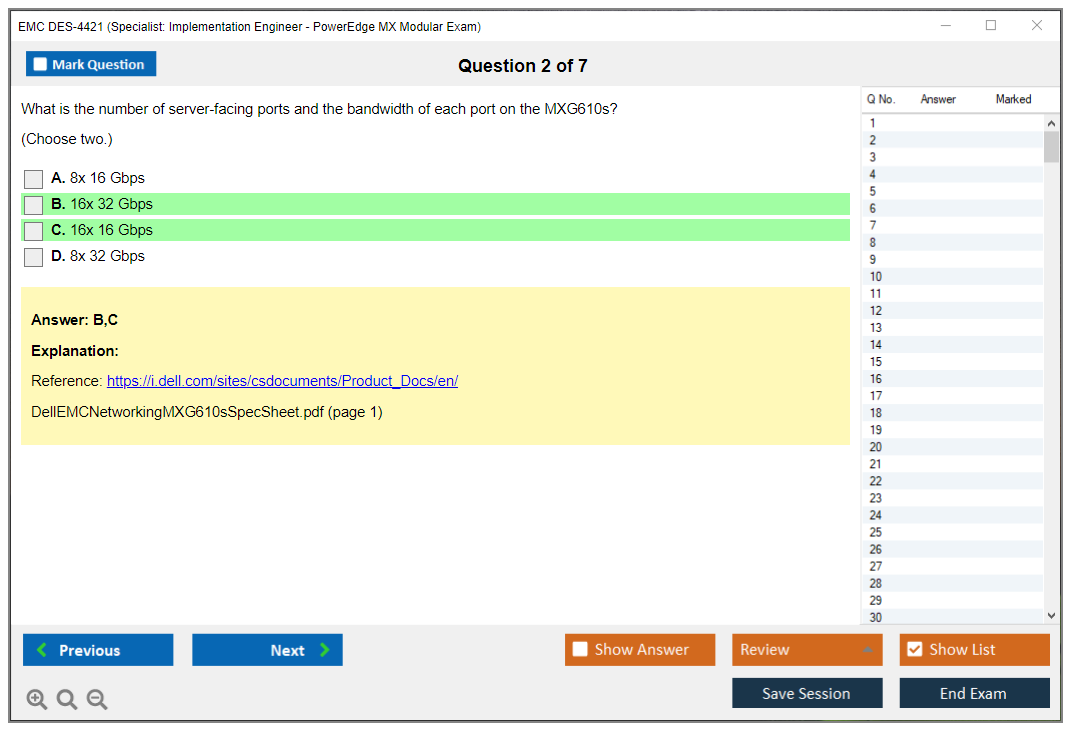
Fabric modules are where networking lives inside the chassis. 25GbE, 100GbE Ethernet, Fibre Channel, FCoE. All options depending on your data center's needs. You'll get questions on pass-through vs. switch modules (pass-through is simpler but less flexible, switches give you more control). Uplink configurations, redundancy, failover mechanisms. This stuff shows up repeatedly.
OME-Modular is the management brain. It runs on the lead chassis and can manage member chassis in a multi-chassis management setup. You need to understand lead vs. member concepts, how the management network connects, API capabilities for automation, and how OME-Modular integrates with the global OpenManage Enterprise console.
Domain 2 covers installation and initial config (18-22%). Pre-installation planning is boring but critical, honestly. Rack requirements, weight (these chassis are heavy), power circuit planning, environmental requirements. Then you physically install the thing: mount it, secure it, install PSUs, power it on in the correct sequence, watch POST, install fans with the right airflow direction. Fabric modules go in specific bays. My cousin once installed a chassis with the fans backwards. Took them two hours to figure out why the temps were climbing. Cable management matters more than you'd think because six months later you don't want a rat's nest when you're trying to trace a connection at 2 AM.
Initial configuration workflow starts with accessing the OME-Modular web interface for the first time. Network config, IP addressing, DNS, NTP (time sync is critical for logs and troubleshooting). Admin account setup. Firmware inventory. Component discovery. Licensing and warranty registration. This is the "day zero" workflow, and it's where a lot of real-world deployments go wrong if you skip steps.
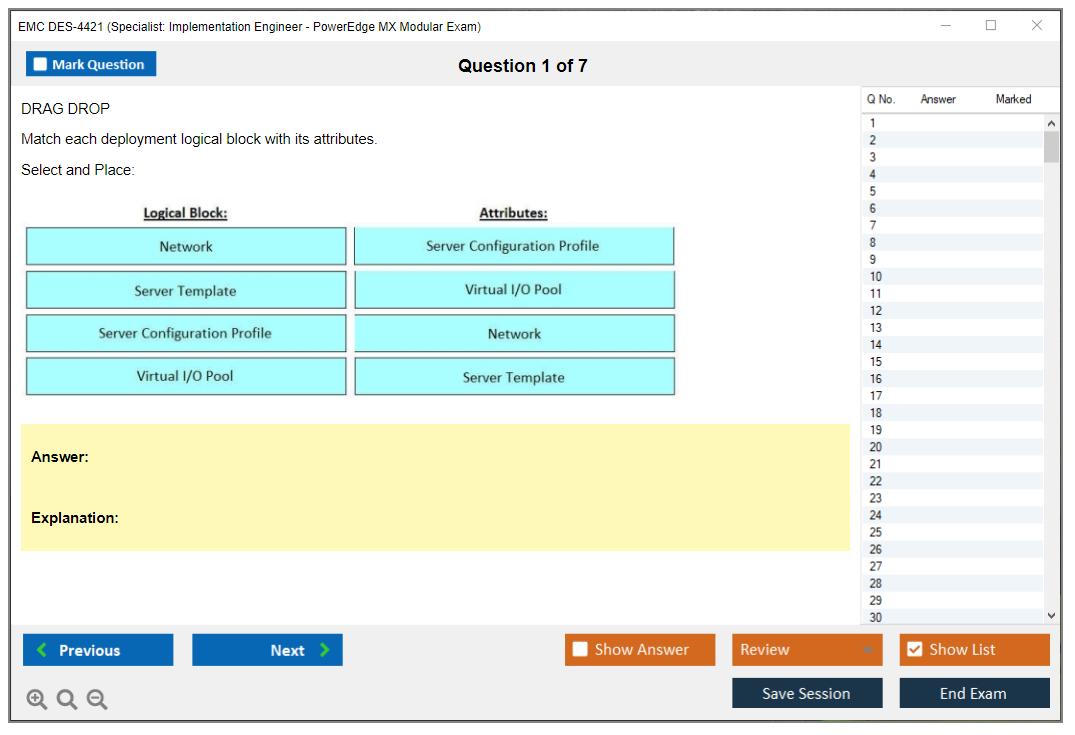
Domain 3 is compute sled deployment (18-22%). Physical installation is straightforward: slide the sled into a slot, latch it, let OME-Modular discover it. But then you need to configure it. Server profiles are huge here. Template-based provisioning lets you standardize BIOS settings, boot order, RAID config, network identity (MAC addresses, WWNs for Fibre Channel). You can clone profiles for rapid deployment, which is a lifesaver when you're deploying 10+ sleds with the same config.
OS deployment happens via iDRAC virtual console, PXE boot, or integration with Lifecycle Controller. You need to know how to inject drivers and firmware during OS install. Compute resource optimization means understanding CPU and memory best practices, local storage vs. SAN boot trade-offs, GPU assignment for MX750c sleds, workload-specific tuning for virtualization, databases, or HPC.
Domain 4 is networking and fabric config (20-25%, so it's weighted heavily). Initial fabric switch setup, management access, uplink port config with LAG or MLAG for redundancy. Downlink connectivity to sleds. VLAN creation and tagging. QoS policies if you're running mixed workloads and need traffic prioritization.
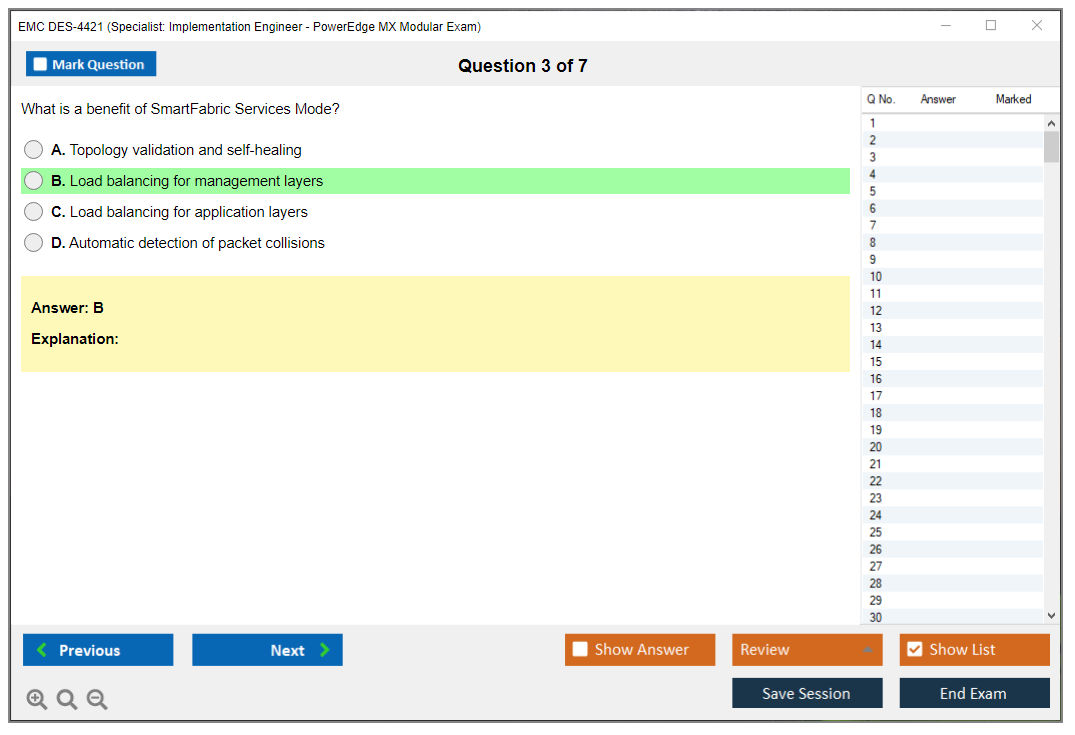
Network topology design questions come up. Leaf-spine architectures, redundant fabric paths, integration with existing data center networking, SDN integration if your environment uses it. SmartFabric Services automates a lot of this: fabric design templates, uplink failure detection, network segmentation for multi-tenancy.
Troubleshooting is practical. Port status verification, packet capture, uplink/downlink path checks, LLDP or CDP neighbor discovery to confirm your cabling is correct. Common misconfigurations like incorrect VLAN tagging or uplink failures show up in scenarios.
Domain 5 is OME-Modular management and monitoring (15-20%). Dashboard and health status, power and thermal monitoring, hardware inventory, event log analysis. Firmware and driver management is a big deal: baseline creation, compliance checks, catalog updates, scheduled vs. manual updates, rollback procedures when an update breaks something. User and role-based access control, Active Directory or LDAP integration, audit logging. Backup and disaster recovery gets tested too. Configuration backup, server profile export/import, chassis replacement procedures, MCM failover.
Domain 6 is troubleshooting and maintenance (12-18%). Hardware diagnostics, LED indicators, component failure identification. Hot-swap procedures for PSUs, fans, fabric modules. Compute sled diagnostics and replacement. RMA process. Performance optimization: thermal management, power capping, workload placement. Preventive maintenance like regular health checks, firmware currency, log review, capacity planning.
Common issues? Oh boy.
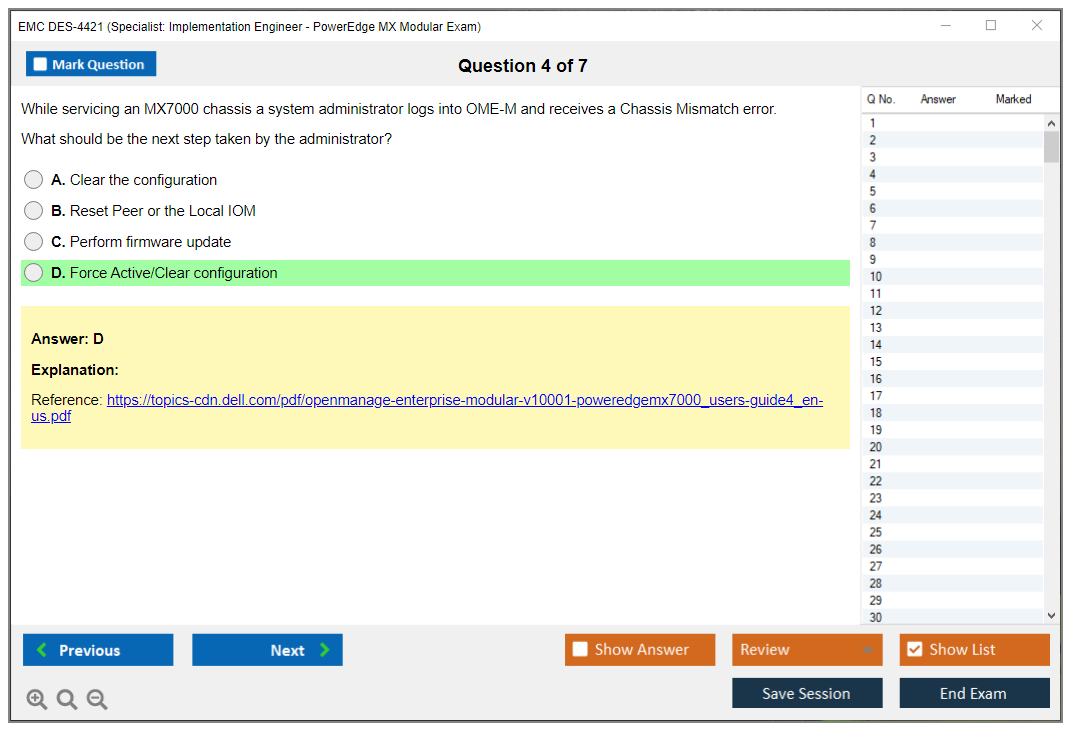
OME-Modular connectivity problems, sled discovery failures, fabric module communication errors, profile assignment conflicts, iDRAC accessibility issues. You'll see scenario-based questions where you have to diagnose a problem from symptoms.
Exam logistics and what it'll cost you
The DES-4421 exam cost is around $230 USD depending on your region and any promotions Dell is running. Sometimes training bundles include a voucher, which can save you a bit. You can take it at a Pearson VUE test center or online proctored if you prefer testing from home, though I've heard mixed things about the online proctoring experience. Technical issues, strict ID requirements, webcam monitoring that feels invasive.
Format is multiple-choice and scenario-based questions. 60 questions total. 90 minutes. That's 1.5 minutes per question, which sounds like plenty until you hit a multi-part scenario that requires you to mentally walk through a troubleshooting workflow. The DES-4421 passing score isn't officially published by Dell, but based on feedback from people who've taken it, you're looking at around 63-65% as the cut score. That's roughly 38-40 correct answers out of 60. Not impossible, but you can't afford to bomb entire domains.
How hard is this thing really
Difficulty depends on your background. If you've physically deployed MX7000 chassis and spent time in OME-Modular configuring profiles and fabrics, this exam is manageable. The questions align pretty well with real-world tasks. But if you're coming from traditional rack-mount server experience without modular infrastructure exposure, you'll struggle. The fabric module stuff trips people up, especially understanding pass-through vs. switch modules, uplink configurations, and SmartFabric Services automation.
OME-Modular workflows are another challenge area. The interface isn't super intuitive if you're used to iDRAC or older Dell management tools. Profile assignment conflicts, firmware baseline compliance, MCM setup. These are areas where people get stuck.
Honestly, I'd say give yourself 3-6 weeks of focused study if you have some Dell PowerEdge background, longer if you're new to modular infrastructure. Hands-on time matters. You need it. Reading docs alone won't cut it.
Study materials that actually help
Official Dell training exists but it's expensive and honestly not everyone has budget for instructor-led courses. The exam objectives document is free and detailed. Start there. It lists every topic area and subtopic.
Documentation is your friend. MX7000 deployment guide, OME-Modular user guide, fabric module config guides, troubleshooting references. Dell's support site has all of this. Prioritize the MX7000 and OME-Modular docs because those are the foundation.
Lab access is tricky. MX7000 chassis aren't cheap, so unless your employer has one or you're working in a lab environment, hands-on access is limited. Some people use Dell's demo environments or partner labs. If you can't get hardware access, at least spin up OME-Modular in a virtual environment or use Dell's documentation walkthroughs to mentally simulate the workflows.
Practice questions? Essential.
For practice questions, the DES-4421 Practice Exam Questions Pack is $36.99 and gives you scenario-based questions that mirror the real exam format. Practice tests matter because they expose gaps in your knowledge. Don't just memorize answers. Read the explanations to understand why an answer is correct.
How this cert fits with other Dell EMC paths
If you're building a Dell EMC specialty, DES-4421 pairs well with other implementation engineer certs. DES-4122 covers traditional PowerEdge servers (version 2.0), which is a natural complement. DES-6321 and DES-6322 focus on VxRail, which is hyper-converged infrastructure built on PowerEdge hardware. There's overlap in the hardware knowledge. DES-1221 is for PowerStore storage, and E20-393 covers Unity, both relevant if you're deploying storage alongside compute.
If you're more on the systems admin side, DES-6332 is VxRail administration, and DES-1B31 covers Elastic Cloud Storage. Different focus but same Dell ecosystem.
Practice tests and final prep
The DES-4421 Practice Exam Questions Pack is worth the investment. Use it in the final two weeks. Take a full practice test, grade it, review every question you missed. Then drill those weak areas. If you're bombing fabric module questions, go back to the MX networking guides and lab it if possible.
Final-week checklist: review OME-Modular workflows (profile creation, firmware updates, MCM setup), memorize sled specs (MX740c vs. MX750c vs. MX840c), understand fabric redundancy and failover, know the common troubleshooting scenarios (sled discovery failure, fabric module communication errors, profile conflicts).
Renewal and staying current
Dell certifications typically have a validity period of two to three years. Recertification options include retaking the exam or completing continuing education through Dell's learning portal. PowerEdge MX is still evolving. New firmware releases add features, OME-Modular gets updates, new sled types might launch. Keep an eye on Dell's release notes and updated objectives if you're planning to recert.
Look, the DES-4421 isn't a walk in the park, but it's also not impossible if you put in the work. Get hands-on time if you can, use the DES-4421 Practice Exam Questions Pack to test yourself, and focus on the high-weight domains (architecture, networking, compute deployment). You'll be fine.
Prerequisites and Recommended Experience for DES-4421 Success
What this certification actually proves
The EMC DES-4421 certification is Dell's way of saying you can walk into a data center, unbox an MX7000, cable it cleanly, bring it up, configure fabrics, and then keep it running without panicking when a sled drops or a fabric module link won't come up. It's not a "read the slides and vibe" badge. It's an implementation engineer exam, and the DES-4421 exam objectives lean hard into real deployment steps, management workflows, and troubleshooting patterns you only learn by doing.
Look, if you've only ever lived in VMware land and your "hardware" experience is clicking a console button, this one can feel rude. Fast.
Still, it's learnable. But hands-on wins.
Who should take it (and who shouldn't)
This is aimed at implementation engineers, field engineers, partner delivery folks, and data center admins who get pulled into modular platform rollouts. If your day job includes racking gear, planning uplinks, validating firmware baselines, and dealing with "why is port X down" at 2 a.m., you're the target audience for the DES-4421 PowerEdge MX Modular exam.
On the flip side, if you only know traditional 1U/2U rack servers and have never touched modular chassis workflows, you can still pass, but honestly you're signing up for extra work. The exam expects you to think in chassis constructs: shared infrastructure, fabrics, templates, and the management plane that ties it together, not just "server A has NIC 1 and NIC 2."
Exam details people keep asking about
Dell changes delivery details sometimes, so always verify in the official listing before you pay, but here's what candidates typically care about when they Google at midnight: DES-4421 exam cost, DES-4421 passing score, and whether the format's going to surprise them.
Cost varies by region and currency, and sometimes you'll see voucher options through employers, partners, or training bundles. If you're paying out of pocket, check whether your org can expense it, because this is one of those certs that maps pretty cleanly to real billable work.
Passing score? Dell doesn't always publish a neat "you need X%" number in a way that stays consistent across versions, and that's normal for vendor exams. So when someone asks "what is the DES-4421 passing score," the practical answer is: prepare like you need to be comfortably above the line, because you won't get rescued by guesswork if you're weak on fabrics or OME-Modular workflows.
Format and registration: online proctoring vs test center depends on what Dell's offering in your region. Read the rules. Don't be the person who gets their exam revoked because a second monitor was "just sitting there."
What the DES-4421 exam objectives really feel like
At a high level the DES-4421 exam objectives track the lifecycle of a modular deployment: architecture, bring-up, connectivity, management, maintenance, then troubleshooting. That sounds obvious. The gotcha is that modular platforms have more moving parts than "install iDRAC, set RAID, install OS."
You'll run into topics like:
- Platform architecture: how the chassis, sleds, fabrics, and management components relate
- MX7000 bring-up: initial configuration and validation steps
- Networking and fabric configuration: uplinks, VLAN behavior, link aggregation, and discovery protocols
- Management and monitoring: OME-Modular management, templates, profiles, firmware baselines
- Break/fix: practical PowerEdge MX troubleshooting and maintenance scenarios
And yeah, you'll want to be comfortable with the vocabulary: compute sleds and fabric modules, interconnect choices, what "profiles" mean in this ecosystem, and how day-two operations differ from a pile of independent rack servers.
Official prerequisites (what Dell actually requires)
Here's the part people overcomplicate: Dell's official stance for DES-4421 prerequisites is pretty friendly.
Dell EMC recommends 1 to 2 years hands-on experience with PowerEdge servers. Familiarity with the Dell EMC OpenManage portfolio is helpful, especially the stuff you'll touch daily in MX environments. Basic understanding of data center infrastructure operations is expected. There are published prerequisites, but they're mostly experience-based guidance rather than hard gates. No mandatory prerequisite certifications required. You don't need an Associate cert first. No specific training course completion required either. Training's recommended, not enforced.
That's it. No magic "must-have" badge. No gatekeeping. Just a pretty loud hint that if you haven't been around server hardware in the real world, the exam's going to feel like drinking from a firehose.
Recommended hands-on experience (what actually makes you pass)
If you want the cleanest path to passing, you want two types of practice: general server hardware competence and MX-specific muscle memory. Reading helps. Lab time sticks.
Some candidates try to brute-force this with a DES-4421 practice test and a weekend. It can work if you already live in MX. If you don't, you'll end up memorizing trivia without understanding why something breaks, and then the scenario questions eat you alive.
Hardware experience that pays off immediately
Start with the basics that translate into every deployment:
- Physical installation of rack-mounted servers and chassis
- Component replacement and hot-swap procedures
- Cable management and data center best practices
- Understanding of power distribution and cooling systems
Let me slow down on two of those, because they sound "basic" until you're on-site. Cable management isn't about looking pretty for a photo. It's about avoiding accidental disconnects, keeping airflow sane, labeling so you can trace uplinks without playing detective, and making sure the next person doesn't curse your name while trying to replace a module in a tight rack.
Power and cooling knowledge matters because chassis gear concentrates density. You don't need to be an electrical engineer, but you should understand A/B feeds, what happens when one PDU's overloaded, how redundancy expectations change depending on the design, and why a "minor" cooling issue can turn into throttling and weird intermittent behavior that looks like networking until you check thermals. The rest? You can pick up as you go. Racking, swapping, basic break/fix.
Speaking of basic, I once saw someone take down half a pod because they assumed "redundant" meant "I can pull both power feeds for five minutes while I reorganize cables." That's a fun ticket to explain to management.
PowerEdge MX-specific experience (this is the real separator)
If you're asking me what makes someone comfortable on this exam, it's this: at least 3 to 6 months working with an MX7000 chassis in a real environment, not just reading PDFs.
What you actually need time doing:
- MX7000 chassis deployment and configuration from scratch at least once
- Deployment of multiple compute sleds in production
- Configuration of fabric modules and network connectivity
- Day-to-day management using the OME-Modular management console
- Troubleshooting hardware and connectivity issues
Here's the thing. You can "know" the steps, but the exam'll often test whether you understand the consequences of choices. Fabric configuration's a classic example: uplink design, VLAN handling, LACP expectations, discovery, and how small mismatches turn into symptoms that look unrelated. And troubleshooting in modular's different because the shared infrastructure can be the source, not the sled.
If you've only ever managed standalone servers, you'll need time to rewire your brain a bit. Not forever. Just enough.
Software and management experience that helps a lot
You don't need to be a software person, but you do need to be comfortable living in the management plane.
Focus on:
- OME-Modular navigation and administrative tasks
- Firmware update procedures and version management
- Server profile creation and template management
- Integration with Active Directory or LDAP
- RESTful API basics (helpful but not critical)
Firmware work's where people get sloppy. Version baselines, staged updates, understanding what reboots and what doesn't, and checking compatibility notes is the difference between a smooth maintenance window and a long night. Profiles and templates matter because they're the repeatability story, and the exam expects you to understand how you'd roll out multiple sleds consistently without click-by-click chaos.
REST APIs are optional here. Nice to have. If you know what an endpoint is and you've at least skimmed how automation could touch OME-Modular, you're fine.
Foundational knowledge you should already have
This exam isn't trying to teach you networking or server hardware from zero. I mean, it assumes you're functional.
Networking fundamentals you should be comfortable with:
- TCP/IP addressing and subnetting
- VLANs, trunking, and link aggregation
- Ethernet standards (1GbE, 10GbE, 25GbE, 100GbE)
- Basic switching concepts and topologies
- LLDP/CDP and network discovery protocols
Server hardware concepts that show up everywhere:
- x86 architecture and CPU technologies
- Memory types, speeds, and configurations
- RAID levels and storage controller basics
- PCIe expansion and mezzanine cards
- BIOS/UEFI settings and boot processes
Virtualization awareness helps because a lot of MX deployments exist to run clusters:
- Hypervisor basics (VMware vSphere, Hyper-V)
- Virtual machine resource allocation
- Network virtualization concepts
- Storage considerations for virtualized environments
Dell tooling familiarity's the "unfair advantage" bucket:
- iDRAC navigation
- OpenManage Enterprise familiarity
- Lifecycle Controller usage
- Support tools like SupportAssist and system diagnostics
Honestly, if you can drive iDRAC without hunting for every menu, you're already saving brainpower for the MX-specific parts.
Helpful but not required background
None of this is required for the PowerEdge MX Implementation Engineer Specialist track, but it can make studying faster:
- Previous Dell EMC certifications at Associate or Specialist level
- Converged or hyper-converged infrastructure exposure
- SAN configuration knowledge
- Automation skills like PowerShell or Python
- ITIL familiarity
- Project management or deployment methodology experience
Mentioning them because people ask. Not because you "need" them.
Skills gap assessment (how to figure out what you're missing)
Do a simple audit against the DES-4421 exam objectives and be brutally honest.
Evaluate current experience against objectives. Identify weak areas that need focused study. Prioritize hands-on lab time for unfamiliar components. Consider official training if you're missing MX-specific exposure. Join Dell EMC community forums for peer learning. Review case studies and deployment guides for context.
If your weak spot's fabric configuration, don't just read about VLANs. Go configure uplinks, break it, and fix it. If your weak spot's profiles and templates, build them, apply them, and learn what happens when hardware differs slightly from what the template expects.
When you're ready vs. when to wait
You're ready if you've completed multiple MX7000 deployments. You can work through OME-Modular confidently. You understand fabric configuration and troubleshooting. You've performed firmware updates and hardware replacements. You can explain MX architecture to colleagues.
Consider waiting if you've never touched MX hardware or your experience is limited to traditional rack servers.
That last one matters. Not because rack server experience is bad, it's great, but modular changes the failure domains and the operational habits, and the exam expects you to think that way.
If you want, I can follow this up with a short study plan using your background, plus a curated list of DES-4421 study materials and how I'd sanity-check any DES-4421 practice test you're considering.
Conclusion
Wrapping up your DES-4421 path
Real talk here. The EMC DES-4421 certification isn't one of those exams where you can just cram theory for a weekend and hope for the best. Dell's really testing whether you've actually gotten your hands dirty deploying and managing PowerEdge MX modular infrastructure in real production environments, not just whether you memorized some bullet points from a PDF. If you've never touched an MX7000 chassis or navigated OME-Modular for fabric configuration and compute sled provisioning, you're gonna struggle with the scenario-based questions that make up a big chunk of this exam. Honestly.
The DES-4421 passing score sits around 60% in most cases. But don't aim for the minimum, that's just asking for trouble. The exam objectives are pretty specific about troubleshooting and maintenance workflows, and those questions can get tricky if you haven't worked through common issues like fabric module misconfigurations or uplink problems. You need solid study materials. Official Dell training docs. Hands-on lab time, even if it's virtual or borrowed rack access. Good practice questions that actually explain why an answer's correct, not just give you a dump to memorize.
Here's where it gets interesting. You're looking at a few hundred dollars for the voucher depending on your region, and realistically you need three to six weeks of focused prep if you're coming in with some Dell EMC PowerEdge experience already. Less if you deploy this stuff daily. More if you're transitioning from a different vendor ecosystem. The PowerEdge MX Implementation Engineer Specialist credential actually carries weight in the field because it's not some vendor-neutral fluff cert. It proves you can handle modular infrastructure deployment end-to-end, which is exactly what enterprise data centers and service providers need right now.
Oh, and speaking of vendor transitions, I watched a colleague try to map Cisco UCS concepts directly onto MX architecture and it went about as well as you'd expect. Just..don't do that. The fabric topology alone works differently enough to trip you up.
Prerequisites? Minimal on paper. But don't skip building that foundation. Get comfortable with Dell EMC PowerEdge MX modular infrastructure concepts, understand how compute sleds and fabric modules interact, know your way around MX7000 chassis deployment tasks. Those fundamentals will save you when a complex troubleshooting scenario pops up mid-exam. Trust me on this one.
For your final prep push, grab a quality DES-4421 practice test that mirrors the real exam format. This made the difference for me and plenty of engineers I know. Seeing how Dell phrases questions about OME-Modular management or network fabric configs helps you avoid silly mistakes on test day. If you want a solid resource that actually prepares you instead of just testing memorization, check out the DES-4421 Practice Exam Questions Pack. It's built specifically for this exam and includes detailed explanations that help you understand the why behind each answer, which is exactly what you need to tackle those implementation scenarios with confidence.
