
Microsoft 98-365 (Windows Server Administration Fundamentals)
Microsoft 98-365 Windows Server Administration Fundamentals: Complete Certification Overview
Microsoft 98-365 (Windows Server Administration Fundamentals) Exam Overview
The Microsoft Technology Associate (MTA) 98-365 certification served as an entry point for folks wanting to break into Windows Server administration. Microsoft originally created the MTA program to give students and career switchers a way to prove they understood fundamental server concepts without needing years of experience. You know the drill: entry-level positions claim they want three years of experience but hire people with six months anyway when they actually need to fill the seat.
The 98-365 specifically targeted Windows Server basics, which made it perfect for people just starting out.
Here's the thing though.
Microsoft retired the MTA program in June 2022. Yeah, they pulled the plug completely. But understanding what this certification covered still matters because the foundational knowledge it validated remains relevant for anyone working with Windows Server environments today. These aren't concepts that just evaporate because a vendor decides to rebrand their certification roadmap. The concepts tested on the 98-365 haven't disappeared. They've just migrated to different certification paths and real-world job requirements.
What the 98-365 certification validates
This exam validated fundamental knowledge across several core areas. Installing and configuring Windows Server was the first big chunk. You needed to understand deployment methods, initial setup procedures, and basic configuration tasks that get a server operational.
Server roles and features came next. Active Directory basics formed another critical section, covering user accounts, groups, organizational units, and how AD actually works in a domain environment. Storage management tested your grasp of disk configurations, RAID levels, backup strategies, and recovery procedures. Networking essentials rounded things out with TCP/IP fundamentals, DNS, DHCP, and how Windows Server fits into network infrastructure.
The exam wasn't trying to make you an expert. It wanted to confirm you could support these systems intelligently and troubleshoot common problems without making things worse.
I mean, that last part matters more than people realize. Help desk techs who understand server fundamentals can triage issues properly instead of escalating everything. Junior admins with this foundation can actually assist senior team members productively rather than needing constant hand-holding, which drives everyone nuts after a while.
Sometimes I think about how many tickets get escalated just because someone doesn't understand the difference between a domain controller and a file server. It's basic stuff, but when you don't know it, you're flying blind.
Who should take Exam 98-365 (ideal roles and experience level)
The target audience was pretty broad. High school students in IT programs used it to demonstrate skills before entering the workforce. College students pursuing IT degrees grabbed it as resume fodder while still learning. Career changers leaving retail, hospitality, or other fields used it to validate their self-study and prove they weren't just winging it.
Microsoft recommended 100-150 hours of instruction or hands-on experience. That's roughly 2-3 months of part-time study with lab work, which isn't an unreasonable ask for an entry-level credential. The ideal candidate had probably installed Windows Server in a VM, created some users in Active Directory, configured basic networking, and maybe set up file shares or print services.
Real talk? Professionals already working in IT support roles found value in it too. If you'd been answering phones and resetting passwords for six months, the 98-365 helped formalize what you'd picked up informally and filled knowledge gaps you didn't even know existed.
Career pathways and real-world applications
This certification opened doors to several entry-level positions. Junior system administrator roles became more accessible. IT support specialist positions valued the Windows Server knowledge even if they didn't always say so explicitly in job postings. Help desk analyst jobs looked better when you could demonstrate server fundamentals on paper. Network administrator trainee positions appreciated candidates who understood how servers integrate with network infrastructure.
The real-world applications were everywhere. Small businesses with 5-50 employees often run Windows Server for file sharing, email, and domain management. Having 98-365 knowledge meant you could manage these environments without calling expensive consultants for every little issue. Larger enterprises needed support staff who understood the fundamentals even if they weren't making architectural decisions.
Troubleshooting common issues required the exact knowledge this exam tested. Why can't users access the file share? Why isn't the printer working? Why can't someone log in? Basic questions, but they come up constantly.
Exam details: cost, format, and passing score
The 98-365 exam cost varied by region but typically ran around $127 USD in the United States. Other countries had different pricing based on local factors. Microsoft offered exam vouchers through academic programs and sometimes ran promotions that reduced costs.
The passing score was 700 on a scale of 1-1000. Microsoft uses scaled scoring which confuses everyone at first. It's not a percentage, which would make way too much sense. The scaling accounts for question difficulty variations across different exam versions. You needed to demonstrate competency across all objective domains. Bombing one section badly could fail you even if you aced others.
Exam format included multiple choice questions, scenario-based questions where you applied knowledge to realistic situations, and drag-and-drop matching exercises. You got 45 minutes to complete approximately 40-60 questions. Not a ton of time. Pearson VUE administered the exam at testing centers or through online proctoring.
Prerequisites and recommended experience
No formal prerequisites existed.
Microsoft didn't require you to pass anything else first or prove prior experience. But recommended knowledge included basic Windows navigation, understanding of computer hardware concepts, and familiarity with networking terminology. If you didn't know what an IP address was or had never used command prompt, you'd struggle.
Hands-on experience mattered enormously. Reading about Active Directory versus actually creating OUs and user accounts in a lab environment? Completely different learning experiences. Building a home lab with VirtualBox or Hyper-V and installing Windows Server evaluation editions gave you practical skills the exam tested. You could download Windows Server evaluation versions free from Microsoft and run them for 180 days, which was plenty of time to prepare if you stayed consistent with your studying.
How 98-365 fit within Microsoft's certification ecosystem
The MTA program served as the foundation of Microsoft's certification pyramid. After earning the 98-365, candidates historically moved toward MCSA (Microsoft Certified Solutions Associate) credentials like MCSA: Windows Server 2016 or MCSA: Windows Server 2012. Those intermediate certifications required passing 2-3 exams and validated job-ready skills for specific server versions.
Microsoft has since transitioned to role-based certifications. Now you'd pursue credentials like AZ-800 (Administering Windows Server Hybrid Core Infrastructure) or MD-102 (Endpoint Administrator) depending on your career direction. The fundamentals still matter. You just prove them differently now through exams like AZ-900 (Microsoft Azure Fundamentals) or MS-900 (Microsoft 365 Fundamentals) which cover cloud-integrated environments rather than purely on-premises servers.
Current relevance and historical context
Microsoft's decision to retire the MTA program reflected industry shifts toward cloud computing and hybrid infrastructure. Pure on-premises Windows Server administration jobs still exist, but they're increasingly rare at entry levels. Organizations expect even junior admins to understand Azure, Microsoft 365 integration, and hybrid identity management. That's a lot to throw at someone just starting out, but that's where things are headed.
The knowledge tested on 98-365 hasn't become obsolete though. Active Directory still underpins most enterprise environments. File servers, print servers, and DHCP/DNS services remain critical infrastructure components. Understanding these fundamentals helps you grasp how modern cloud services evolved and why certain design decisions make sense.
If you're starting your IT career in 2025 or beyond, pursuing legacy MTA certifications doesn't make sense since you can't take the exams anymore. But studying the 98-365 objectives as a learning roadmap? Still valuable. The concepts translate directly to current server administration work and provide context for understanding newer technologies.
Benefits beyond the credential itself
Earning certifications demonstrates commitment to professional development. Employers see candidates who invest time and money in credentials as more serious about their careers than those who don't. Fair or not, that's how hiring decisions often get made. The 98-365 proved you could set a goal, study systematically, and validate your knowledge through standardized testing.
The learning process mattered as much as the certification. Working through server installation procedures, troubleshooting configuration issues in labs, and understanding how different components interact built practical skills you'd use constantly in IT work. Many people discovered they actually enjoyed server administration through preparing for this exam, which guided their subsequent career decisions.
Comparison with other entry-level certifications
CompTIA Server+ offers vendor-neutral server administration validation covering Windows, Linux, and general server concepts. The 98-365 focused exclusively on Microsoft technologies, making it narrower but deeper within the Windows ecosystem. That honestly made more sense if you already knew you wanted to work in Microsoft-heavy environments. Organizations heavily invested in Microsoft infrastructure often preferred the 98-365 because it directly aligned with their technology stack.
Other Microsoft fundamentals certifications like SC-900 (Microsoft Security Compliance and Identity Fundamentals) or AI-900 (Microsoft Azure AI Fundamentals) now serve similar entry-level purposes for different technology domains. The certification space has shifted toward specialization earlier in career paths.
Whether you're researching the 98-365 for historical context, considering what to study as a beginner, or trying to understand how foundational server knowledge fits into modern IT careers, the core lesson remains the same. Understanding how Windows Server works, how Active Directory functions, and how servers integrate into network infrastructure gives you a foundation that supports learning everything else. Cloud services, containerization, infrastructure as code.. all of it builds on these basics. The specific certification may be retired, but the knowledge it represented isn't.
Exam Details: 98-365 Exam Cost, Format, Duration, and Passing Score Requirements
Microsoft 98-365 (Windows Server Administration Fundamentals) exam overview
Microsoft 98-365 Windows Server Administration Fundamentals is one of those entry certs that basically tells an employer, "look, I know what a Windows Server is, I can set up the basics, and I won't panic when someone says Active Directory." It's part of the old Microsoft MTA Windows Server Administration Fundamentals track, so it's fundamentals, not "architect a global datacenter by Friday."
Who's it for? Beginners, really. Help desk folks trying to move up. Students grinding through an IT program. Junior sysadmin types who touch servers but mostly follow runbooks. If you're already building GPO designs and arguing about Kerberos tickets, this is probably beneath you. Different vibe entirely.
What the 98-365 certification validates
It validates baseline knowledge across Windows Server roles and features basics, Active Directory fundamentals for beginners, server storage and virtualization basics, plus networking and routine admin tasks. Not magic. Definitely not expert level. But it's a clean signal that you can speak the language and you've invested time into learning the platform.
Also, it pushes you to learn the "why" behind common clicks in Server Manager. That matters more than people think.
Who should take exam 98-365 (ideal roles and experience level)
If you're aiming at junior infrastructure work, this exam fits. If you're in school and your program offers vouchers, even better. If you're switching careers and need a confidence win, it's a decent stepping stone, assuming you pair it with a home lab and a real 98-365 study guide, I mean.
Exam details: cost, format, and passing score
Exam cost
The 98-365 exam cost isn't one global number, which gets confusing. Microsoft pricing is regional, and Pearson VUE also has local market realities. Currency changes, tax rules, Microsoft's regional pricing policies. All of that turns "one exam" into a bunch of price bands that move around depending on where you sit for the test.
Typical regional ranges you'll see:
- United States: about $127 USD. This is the number most people quote, and it's the closest thing to a "default" baseline.
- Europe: often €99 to €127 EUR, depending on country VAT and local pricing structures.
- United Kingdom: usually £80 to £99 GBP.
- Asia-Pacific: varies a lot, like wildly. Some markets price lower to match local purchasing power, while others land closer to US pricing after currency conversion and taxes get factored in. Expect anything from "surprisingly affordable" to "why is it basically the same as the US."
- Other international markets: similar story. Latin America, Middle East, Africa can be lower or similar depending on Microsoft's regional tiers and the local test delivery costs.
Why the variation? Microsoft sets regional pricing tiers rather than straight currency conversion, because a pure FX conversion would make exams wildly unaffordable in some countries and oddly cheap in others whenever currencies swing hard. Taxes matter too. VAT can make Europe look more expensive even if the base price is comparable before tax.
Vouchers and discounts exist, and you should care. Paying full price once is fine. Paying full price twice because you didn't hunt for academic pricing is just painful.
Voucher options and discount opportunities to look for:
- Microsoft Imagine Academy discounts: if your school's part of the program, you may get exam vouchers at a reduced rate. Verification is usually handled through the institution, not you directly.
- Educational institution partnerships: colleges sometimes bundle the exam with a class or lab fee. Ask the department, not the bookstore. Bookstores rarely know about IT cert programs.
- Bulk purchase options for training centers: training providers sometimes sell exam vouchers cheaper because they buy in volume. Read the fine print on expiration dates though.
- Seasonal promotional offers: they pop up. Not always predictable. When they do, they're usually time-limited and tied to a learning campaign Microsoft's running.
Student discount programs. This is where the big savings usually are. A typical academic discount is 40 to 50% off standard pricing, but it depends on region and the specific program running at the time. Expect to verify status through a student email domain, a third-party verification service, or proof of enrollment documentation. Eligibility usually means currently enrolled in an accredited school. How to access it: start from Microsoft's academic pricing pages or your institution's certification portal, then schedule through the approved route so the discount actually applies at checkout.
Retake policies and costs. Not gonna lie, Microsoft retake rules are the part people ignore until they fail the first time.
- After a failed attempt, the first retake typically requires a 24-hour waiting period.
- After that, subsequent retakes usually require 14 days between attempts.
- Retakes generally cost full price again. There isn't a built-in "cheap retake" unless you purchased a bundle or a promo that includes a second attempt.
How to avoid paying for retakes? Do a timed Windows Server Administration Fundamentals practice test, but don't treat it like a trivia game you're trying to speedrun. Review every wrong answer, then go do the actual task in a VM. That feedback loop is what saves you money long-term. I've seen people blow through three attempts because they kept cramming the same material instead of actually breaking things in a lab and fixing them. Different approach entirely.
Bundles exist in some markets. Sometimes you'll see exam bundles that include a practice test, official-ish prep, or even multiple attempts for a combined price lower than buying everything separately. If you find a bundle that includes a retake, that can be worth it. If it's just "study material" with no retake and the material is thin, pass on it.
Passing score
The 98-365 passing score is typically 700 out of 1000 on Microsoft's scaled scoring system. Important detail here: you do not get a simple "you got 42 out of 55 questions right" readout. You get a scaled score, usually reported on a 100 to 1000 scale instead.
How scaling works, in human terms? Microsoft takes your raw performance and converts it into a scaled number so different versions of the exam can be compared more fairly. One version might have slightly harder questions, another might have slightly easier ones, and scaling is meant to keep the pass line consistent across forms.
This is also criterion-referenced, not norm-referenced. You're measured against a standard of skills, not against other test takers. So you're not trying to "beat the average" or outperform your peers. You're trying to meet the bar Microsoft set.
Why 700 specifically? Microsoft sets passing scores using psychometric analysis, which is exam-science stuff like question difficulty, how well a question distinguishes between prepared and unprepared candidates, and statistical checks across exam forms. The goal is consistent difficulty across versions, even if the exact questions differ form to form.
Exam format and time limits
Format is usually 40 to 60 questions. The exact number can change because Microsoft rotates forms periodically. The question types are a mix, and that's where people get tripped up because they assume it's all multiple choice and breeze through without reading carefully.
Common question types you can see:
- multiple choice
- multiple response (select all that apply, these are sneaky)
- drag-and-drop
- matching
- case studies
- scenario-based simulations
Time allocated? Testing time is often 45 to 60 minutes, plus extra time for the tutorial and post-exam survey. Plan a total appointment length around 75 minutes. Some test centers want you there 15 minutes early too. Add buffer time.
Question distribution across 98-365 exam objectives isn't always published in perfect percentages, but expect heavier weight on core admin building blocks like installing and configuring basics, roles and features, AD and account management, networking basics, and storage and backup concepts. Monitoring and troubleshooting shows up too, usually as "what tool do you use" and "what does this symptom mean" style questions.
Delivery methods? Most candidates take it at Pearson VUE testing centers. Online proctoring may or may not be offered depending on the exam's current status and region, because Microsoft has changed delivery options over the years based on program updates. Scheduling is through Pearson VUE: pick a test center or online option if available, choose a time, pay, then confirm your ID requirements match exactly.
Testing center experience is pretty standardized. You check in, they verify ID, you lock up your stuff in a locker, and you sit at a machine in a quiet room with cameras. You'll usually get scratch paper or a whiteboard with marker. Calculator availability depends on the exam and center rules, but for this one you typically don't need it anyway.
Question format examples (and how to approach them)
Multiple response questions are the sneaky ones. If it says "choose two" and you choose one, you're wrong. Usually no partial credit whatsoever. Read the stem twice. Slow down, even if you're confident.
Drag-and-drop sequencing questions often test process knowledge, like ordering steps for installing a role or configuring a basic feature. My take: don't rely on memory alone here. Think what would actually break if you did the steps out of order. That logic helps.
Scenario-based questions are longer, and they're where beginners burn time. Skim for constraints first. Domain or workgroup? Server Core or GUI? What role is installed already? What the user actually wants? Then answer based on constraints. Don't overthink it.
Scoring methodology. Microsoft exams sometimes include non-scored "experimental" questions used to test future items for difficulty and stats. You won't be told which ones are experimental. Treat every question like it counts, because it might.
Results are immediate. You get pass or fail on screen at the end, and you also get a score report with a breakdown by objective domain. That report is gold if you failed, and still useful if you passed because it shows what you barely scraped through.
Interpreting the score report? If you're weak on AD basics, that's not a "study more" note, that's a "build users, groups, OUs, and permissions in a lab until it feels boring" note. Same for networking basics for Windows Server. If DHCP scopes and DNS records feel fuzzy, you fix that with reps, not rereading theory.
NDA stuff. You'll accept a non-disclosure agreement before the exam starts. You can talk about topics and your prep process openly. You cannot share specific questions, answers, screenshots, or "wording from the test." People get banned for that. Not worth it.
Language availability. English is common, and other languages may be offered depending on region and the exam's current publication state. If you're not a native English speaker, check whether your locale offers your language, and whether any extra time is provided for translation. Sometimes accommodations exist, but don't assume. Verify.
98-365 exam objectives (skills measured)
Installing and configuring Windows Server
Understanding server roles and features
Active Directory and account management fundamentals
Storage, backup, and recovery basics
Networking and remote access fundamentals
Monitoring, maintenance, and troubleshooting fundamentals
Objective map (what to lab):
| Objective area | Key subtopics | Recommended labs | |---|---|---| | Install and configure | editions, setup choices, basic config | install Windows Server in a VM, set IP/DNS, join domain | | Roles and features | what each role does, when to pick it | add DNS/DHCP roles, verify services, basic role removal | | AD fundamentals | users, groups, OUs, GPO concepts | create OUs, delegate basic control, reset passwords, group scopes | | Storage/backup | disks, volumes, RAID concepts, backup types | create volumes, test Windows Server Backup, restore a file | | Networking/remote access | TCP/IP basics, name resolution, remote tools | configure DHCP scope, test DNS records, RDP and remote management | | Monitoring/troubleshooting | Event Viewer, performance basics | find errors in logs, set a simple perf counter, identify a failed service |
Prerequisites and recommended experience
Prerequisites
There are usually no formal 98-365 prerequisites. You can register and take it without proving prior certs. That said, walking in cold is a great way to donate exam fees to Microsoft.
Recommended hands-on experience. Build a home lab. One domain controller VM plus one member server or client VM is enough to cover most objectives. If you can install roles, create users, and troubleshoot a DNS issue you caused on purpose, you're in decent shape.
Useful groundwork includes basic Windows admin habits, IP addressing and DNS basics, and the concept of domains, authentication, and permissions.
Difficulty: is Microsoft 98-365 hard?
Difficulty level
For a fundamentals exam, it's fair. For a total beginner with no lab time, it feels hard. The 98-365 exam difficulty is mostly about whether you've ever touched the tools for real or just watched videos.
What makes it challenging? Microsoft wording can be tricky. "Best answer" style questions where multiple options seem right. Multiple-select scoring with no partial credit. And the fact that server concepts stack on each other, so if DNS is weak, AD questions get harder too.
Compared to other entry Microsoft exams, it's similar in vibe. Fundamentals, broad coverage, not super deep, but it expects you to know the basics cleanly without major gaps.
Best study materials for 98-365
Official resources vary because MTA exams have shifted over time, but if you find Microsoft learning content aligned to the objectives, use it. Pair that with a solid 98-365 study guide and lab work. Videos help if you're new and need visual context. Books help if you like structured coverage. What matters most is you practice what you read. Don't just consume content passively.
Study plan options? Quick plan: 1 to 2 weeks if you already work with Windows and can lab daily. Safer plan: 4 to 6 weeks if you're new, doing a few nights a week plus weekends for hands-on.
Practice tests and exam prep tools
Practice tests
A good Windows Server Administration Fundamentals practice test has explanations, not just answers. It matches current objectives. It has timed mode. If it's just a dump of questions with no rationales, skip it. That's useless for learning.
Sample question approach. If a question asks what role provides centralized authentication, don't just say "AD DS" because you memorized it. Explain to yourself what AD DS does, what depends on it, and what breaks without it. That mental model is what carries you on scenario questions where wording shifts.
Final-week checklist: Rebuild your lab from scratch. Review weak objective domains from your score reports or practice tests. Do one timed run-through. Sleep well.
Exam day tips and test-taking strategy
Time management matters. First pass: answer what you know fast. Mark the time-sinks for later. Second pass: work the marked ones carefully. Don't spend five minutes wrestling one scenario while easy points sit unanswered later.
What to bring? Government ID that matches your registration name exactly. Some centers require a second ID. Check your Pearson VUE confirmation email and do exactly what it says. No guessing.
Common mistakes include rushing multiple-select questions, ignoring keywords like "most secure" or "least administrative effort," and not reading the last line that tells you how many answers to pick.
Certification validity, expiration, and renewal
Renewal
MTA-style credentials are typically one-time and do not require annual renewal the way some role-based certifications do, but always verify in your Microsoft certification profile because programs change. If your goal is employability, the bigger point is staying current with modern Windows Server and Azure topics anyway. Certs expire in relevance even if they don't expire officially.
What to do after passing? If you liked the server side, move into Windows Server admin skills, then consider newer Microsoft cert paths or vendor-neutral ones. Build projects. Keep labbing. The exam gets you noticed, but your hands-on stories get you hired.
FAQs (based on "People Also Ask")
How much does the Microsoft 98-365 exam cost?
Usually about $127 USD in the US, with common ranges like €99 to €127 in Europe and £80 to £99 in the UK. Asia-Pacific and other regions vary based on Microsoft regional pricing, taxes, and currency fluctuations.
What is the passing score for exam 98-365?
Typically 700/1000 on Microsoft's scaled score system, with reported scores generally on a 100 to 1000 scale.
Is 98-365 good for beginners?
Yes, if you pair it with lab time. Without hands-on practice, the questions feel abstract and you'll likely struggle more than necessary.
What are the main objectives on 98-365?
Installing and configuring basics, roles and features, AD and account management, storage and backup, networking and remote access, and monitoring and troubleshooting. That's the core of MTA 98-365 Windows Server fundamentals.
Does Microsoft 98-365 require renewal?
Usually no renewal, but confirm in your certification dashboard because Microsoft has changed certification programs and retirement policies over time.
Understanding 98-365 Exam Objectives: Complete Skills Measured Breakdown
Breaking down the 98-365 exam structure
The Microsoft 98-365 Windows Server Administration Fundamentals exam splits into six major domains that cover everything from basic installation through troubleshooting. Microsoft organizes these skills measured sections with specific weighting percentages, though honestly they don't always publish exact percentages for MTA exams like they do for role-based certs. What I can tell you is that understanding server roles, Active Directory basics, and storage concepts make up the bulk of what you'll see.
Each domain builds on the previous one. You start with installation and configuration, move through server roles and Active Directory, then tackle storage and networking before finishing with monitoring and troubleshooting. This structure mirrors how you'd actually deploy a Windows Server in the real world. You install it, configure basic settings, add roles, manage users, set up storage, configure networking, then monitor and fix issues.
The exam objectives align surprisingly well with what entry-level Windows Server administrators actually do day-to-day. Creating user accounts in Active Directory? Configuring DHCP scopes? Setting up file shares with proper permissions? That's literally the bread and butter of junior admin work. Microsoft designed this as a fundamentals exam, so they're not asking you to architect complex hybrid cloud solutions. They want to know if you understand the core concepts that let someone be productive on day one.
Server installation and initial configuration
Clean installation procedures form the foundation. You need to know how to boot from installation media (DVD or USB), partition disks during setup, and select the appropriate edition. Upgrade paths matter too. Understanding which versions can upgrade to Windows Server 2012 or 2016 without a clean install saves time in production environments.
Server Core vs. GUI installation is huge. Server Core gives you a command-line interface with minimal overhead, better security, and lower resource consumption. The GUI installation (Server with Desktop Experience) provides the familiar Windows interface. For the exam, you should understand when each makes sense. Server Core for production servers that don't need graphical management, GUI for environments where admins aren't comfortable with PowerShell.
Installation media types include more than just physical DVDs. Network-based installation using Windows Deployment Services (WDS) lets you deploy servers across the network. Virtual machine deployment matters increasingly since most organizations run at least some virtualized infrastructure. The 98-365 exam won't dive deep into Hyper-V specifics, but you should understand that VMs need the same installation process as physical hardware.
Initial server configuration tasks happen immediately after installation. Setting the computer name to something meaningful (not WIN-X7K9D2P3), configuring IP addressing with appropriate subnet mask and gateway, joining workgroups or domains for network integration, and activating Windows Server licenses to stay compliant. License activation seems boring until you've dealt with an expired trial that locked you out of critical systems. Not fun.
Understanding Windows Server editions and hardware
Windows Server editions confuse a lot of people preparing for the 98-365 exam. Datacenter edition supports unlimited virtual machines and costs the most. Standard edition includes licenses for two virtual machines. Essentials targets small businesses (up to 25 users) with simplified management. Foundation edition typically comes preinstalled on OEM hardware with even more restrictions.
Licensing implications matter. Real world stuff. You can't just install Datacenter edition everywhere because it's "better." The cost difference is substantial. A company running heavy virtualization workloads needs Datacenter. A small business with basic file sharing might do fine with Essentials.
Post-installation configuration includes Windows Update settings (critical for security patches), time zone configuration (seems trivial until logs show wrong timestamps), Remote Desktop enablement for remote management, and basic firewall configuration. The MD-102 exam covers some similar endpoint management concepts if you're interested in the client side.
Hardware requirements split between minimum and recommended specs. Minimum gets you a server that technically boots. Recommended specs actually let you run production workloads. You need x64 processor architecture (no 32-bit support in modern Windows Server), at least 512MB RAM but realistically 2GB or more, and sufficient storage for the OS plus roles and features. Device driver installation comes up regularly. Identifying missing drivers through Device Manager, installing manufacturer-specific drivers for RAID controllers or network adapters, troubleshooting driver conflicts that prevent boot.
Core server roles and their functions
File and Storage Services let you share folders across the network. Creating shared folders involves selecting a directory, setting a share name, configuring share permissions (who can access the share), and setting NTFS permissions (what they can do with files). Understanding permission inheritance saves headaches. Child folders inherit parent permissions by default, but you can break inheritance when needed.
The difference between share-level and NTFS-level permissions trips up beginners. Share permissions apply when accessing over the network. NTFS permissions apply always, even locally. Effective permissions calculation uses the most restrictive combination. If share permissions grant Full Control but NTFS only grants Read, the user gets Read access. Troubleshooting access issues requires checking both permission types plus group memberships.
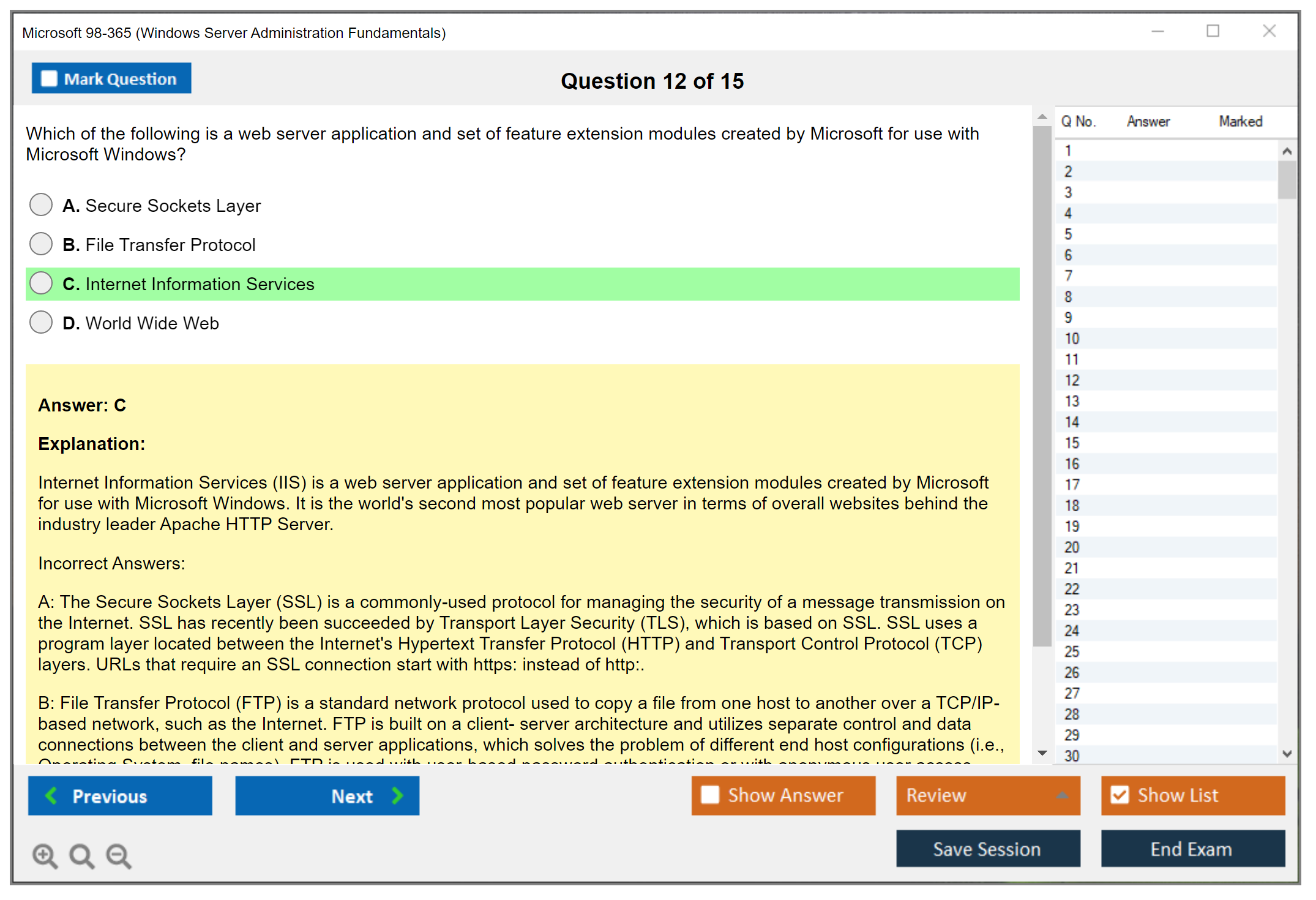
Web Server (IIS) fundamentals cover what Internet Information Services does: it hosts websites and web applications. Creating basic websites means specifying physical paths, configuring bindings (IP address, port, hostname), and managing application pools that isolate different web apps. The AZ-104 exam expands these concepts into Azure web services if you continue down the Microsoft certification path.
DNS Server role understanding starts with DNS hierarchy. Root servers, top-level domains, authoritative name servers. Creating forward lookup zones lets you map names to IP addresses. Creating host (A) records adds individual computer entries. DNS client configuration on workstations points to your DNS server so name resolution works. I once spent two hours troubleshooting a "network issue" that turned out to be a typo in the DNS server address. Check the simple stuff first.
DHCP Server role handles automatic IP address assignment. Scope creation defines IP ranges to distribute. Lease management determines how long clients keep addresses. Reservations ensure specific devices always get the same IP. DHCP options configure stuff like default gateway and DNS servers.
Active Directory fundamentals and account management
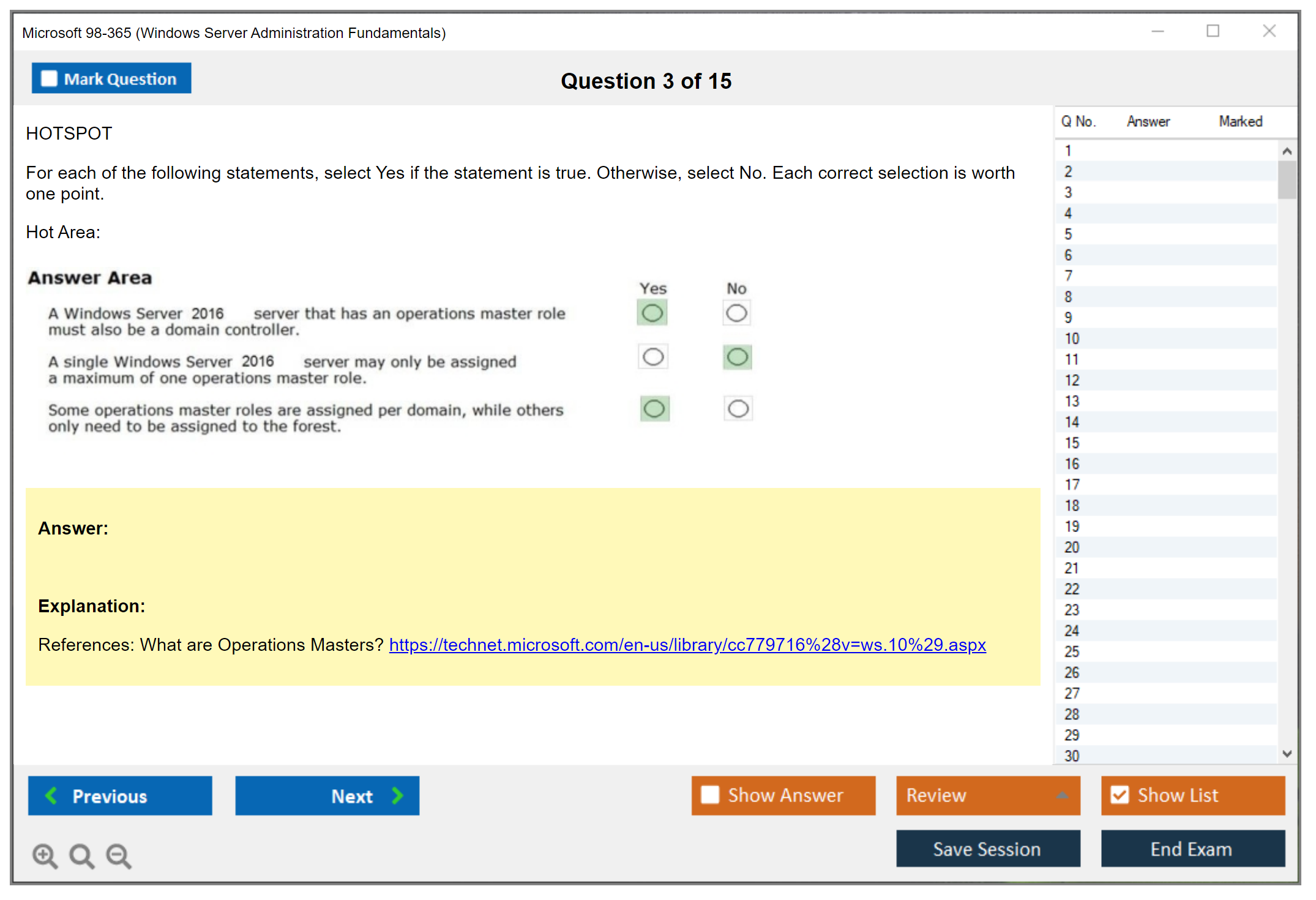
Active Directory Domain Services concepts form a massive portion of the 98-365 exam objectives. Domains provide administrative boundaries. Domain controllers authenticate users and store directory data. Organizational units (OUs) organize objects within domains. Forests contain multiple domain trees with trust relationships.
Benefits of implementing Active Directory include centralized authentication (one password for all domain resources), single sign-on (login once, access everything), group policy management for consistent configurations, and centralized resource management. Trying to manage 100 users with local accounts on each server would be absolute chaos.
Creating domain user accounts requires specifying username, full name, password, and password requirements. Configuring account properties covers description fields, contact information, login hours restrictions (limiting when users can authenticate), account expiration dates (for temporary workers), profile paths, home directories, and logon scripts. The SC-300 exam dives deeper into identity and access management if this interests you.
Group management fundamentals distinguish security groups (used for permissions) from distribution groups (used for email lists). Group scopes matter. Local groups exist on individual servers, global groups contain users from the same domain, universal groups span forests. Best practices like AGDLP (Accounts, Global groups, Domain Local groups, Permissions) help organize large environments, though the 98-365 exam only expects basic understanding.
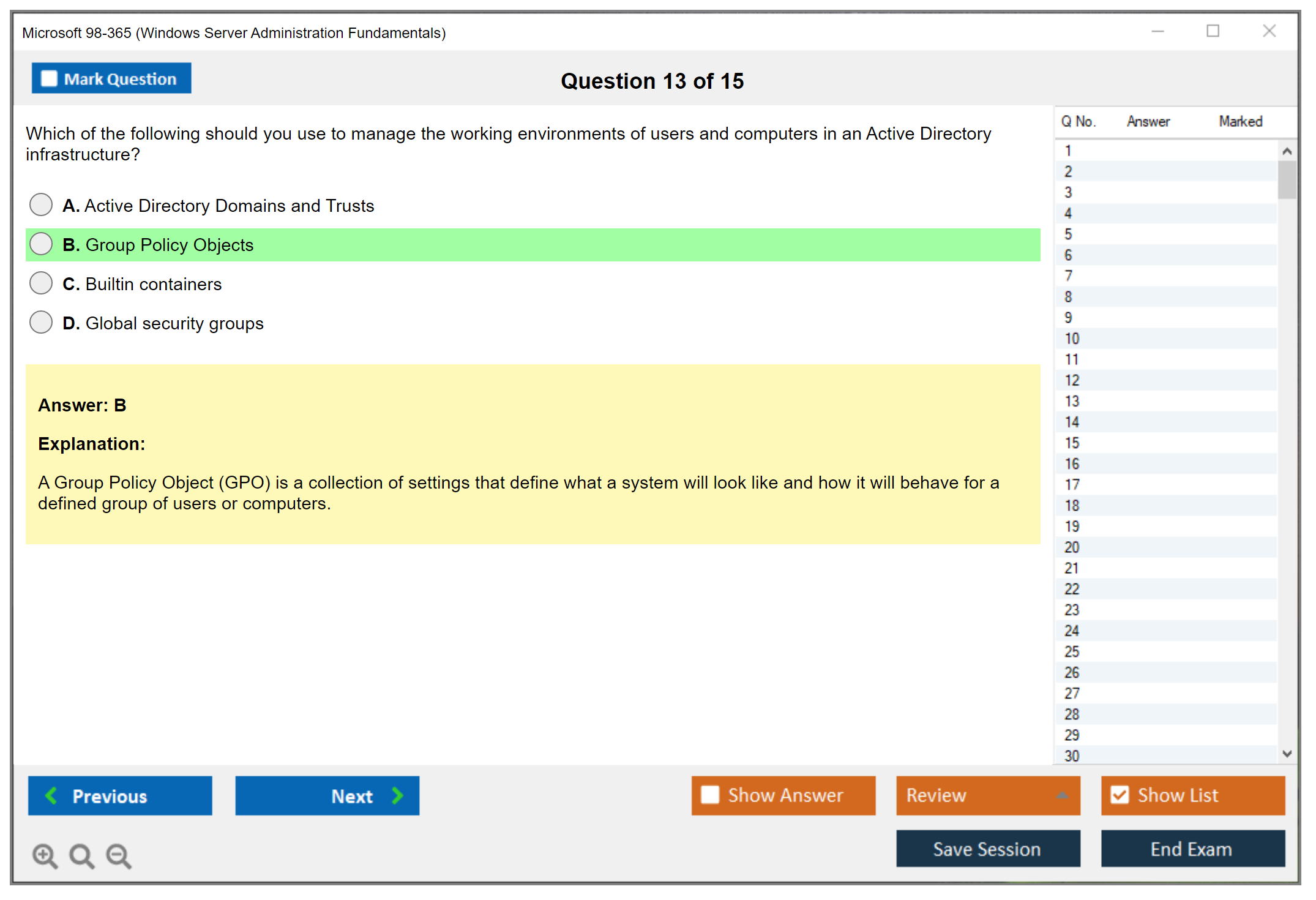
Computer account management involves joining computers to domains through System Properties, managing computer accounts in Active Directory Users and Computers, understanding how computer accounts authenticate. Basic Group Policy concepts include what GPOs do (enforce settings across multiple computers), linking GPOs to OUs so they apply to contained objects, configuring security settings, and deploying software automatically.
Storage technologies and disk management
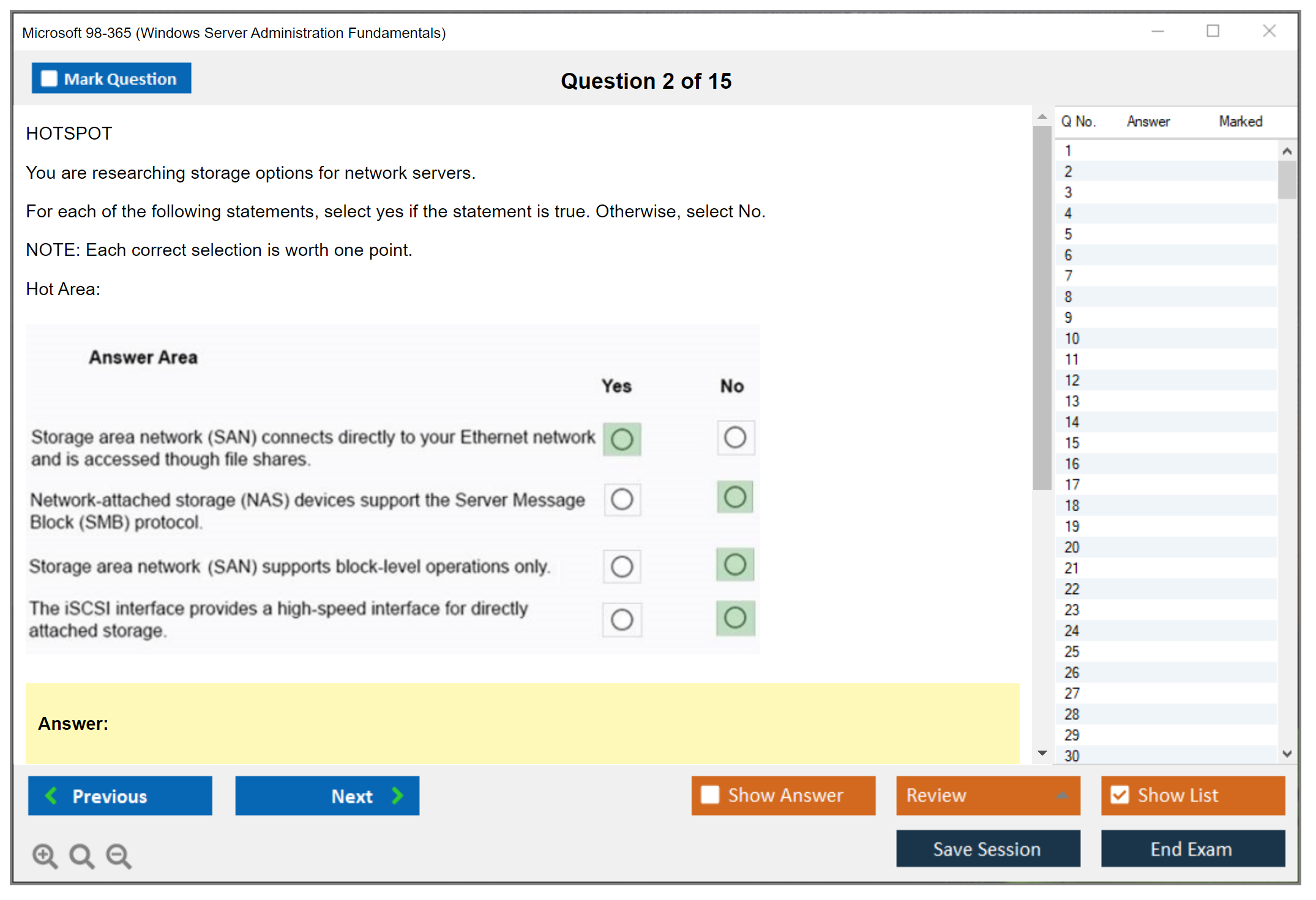
Storage types include direct-attached storage (DAS) like internal hard drives or USB drives, network-attached storage (NAS) which appears as network shares, and storage area networks (SAN) that present block-level storage over dedicated networks. Each has performance and cost trade-offs.
Disk management fundamentals start with initializing disks so Windows recognizes them, creating partitions or volumes, formatting with a file system, assigning drive letters, and extending volumes when you need more space. Basic disks support simple partitions. Dynamic disks enable stuff like spanning volumes across multiple disks. MBR partition style works for disks under 2TB. GPT supports larger disks and more partitions.
RAID concepts provide redundancy or performance. RAID 0 stripes data across disks for speed but offers no redundancy. RAID 1 mirrors data between disks for redundancy but uses 50% capacity. RAID 5 stripes with parity across three or more disks, balancing performance, redundancy, and capacity.
NTFS features include compression (reduce file size on disk), encryption through EFS (protect data at rest), disk quotas (limit storage per user), and granular file permissions. FAT32 lacks these features but offers compatibility. exFAT works for large files on removable media.
Backup fundamentals distinguish full backups (everything), incremental backups (changes since last backup of any type), and differential backups (changes since last full). Windows Server Backup feature handles backup jobs to local disks or network locations. Recovery concepts include restoring individual files, bare-metal recovery (rebuilding entire servers), and system state restoration. Shadow Copy lets users recover accidentally deleted files without admin involvement. Previous Versions saved my bacon more than once when users panicked about lost documents.
Networking fundamentals and troubleshooting
TCP/IP fundamentals cover IPv4 addressing (32-bit addresses like 192.168.1.100), subnet masks that define network and host portions, default gateways for routing traffic off the local subnet, and DNS servers for name resolution. IPv4 address classes (A for large networks, B for medium, C for small) and private IP ranges (10.0.0.0/8, 172.16.0.0/12, 192.168.0.0/16) prevent internet routing conflicts.
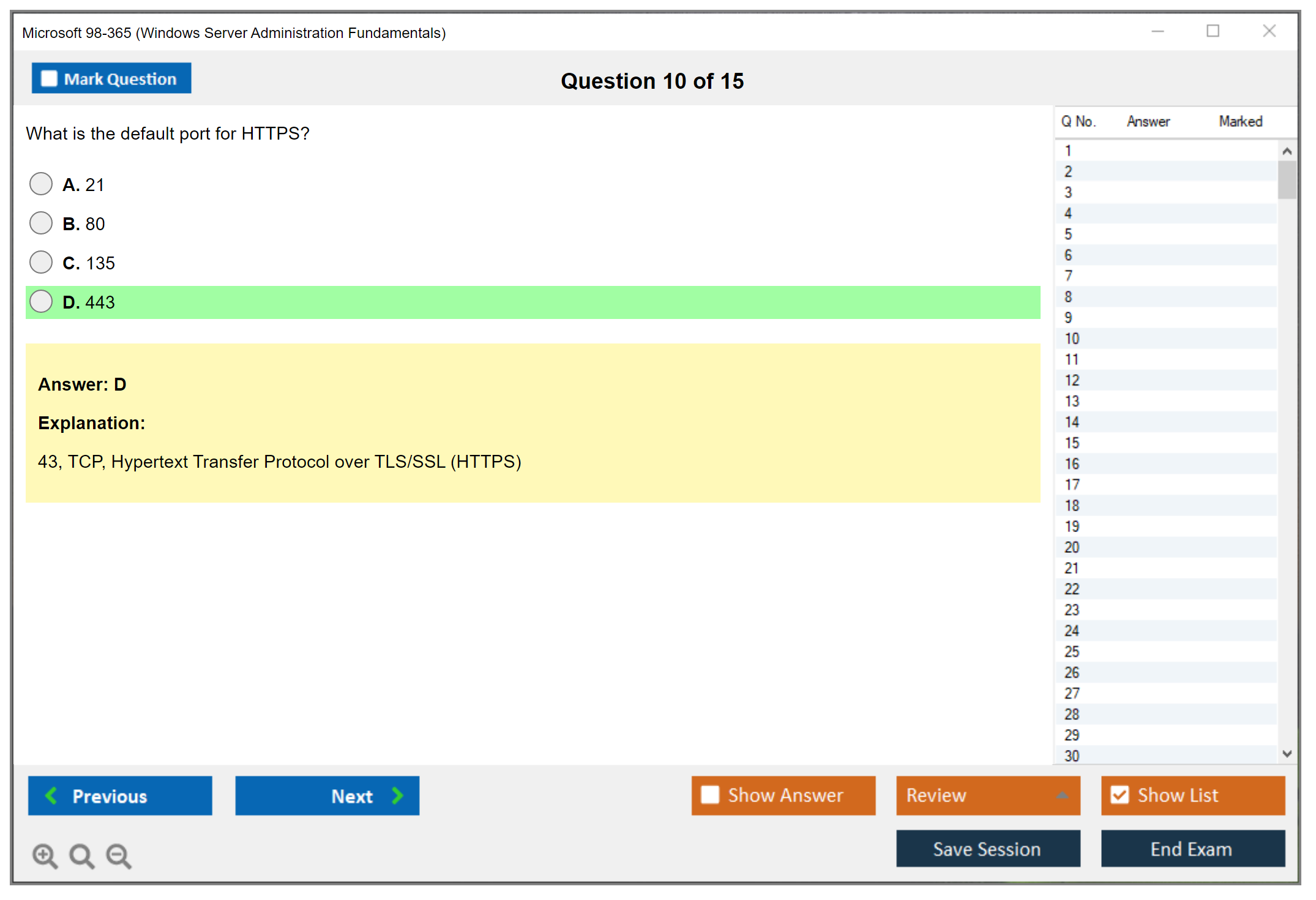
Subnetting basics require understanding how subnet masks work. A /24 mask (255.255.255.0) gives you 256 addresses with 254 usable for hosts. Network protocols include TCP (reliable, connection-oriented) and UDP (faster, connectionless). Common port numbers like HTTP 80, HTTPS 443, RDP 3389, DNS 53, and DHCP 67/68 appear on the exam.
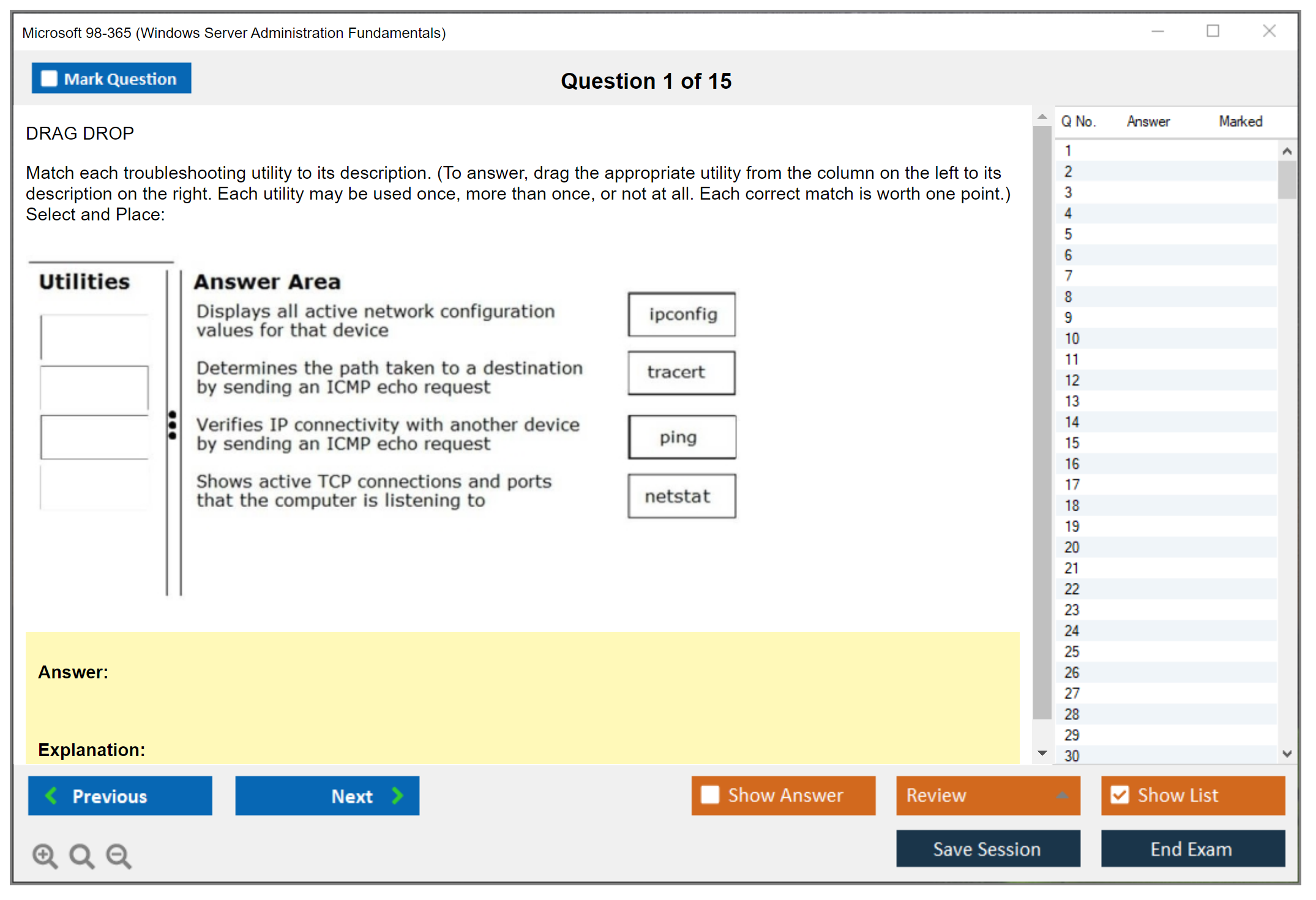
Firewall fundamentals using Windows Firewall with Advanced Security distinguish inbound rules (incoming connections) from outbound rules (outgoing connections). Creating allow or block rules controls traffic flow. Network troubleshooting tools include ping (tests connectivity), ipconfig (shows network configuration), nslookup (tests DNS resolution), and tracert (maps network path).
Performance monitoring and basic troubleshooting
Performance monitoring tools start with Task Manager for quick CPU, memory, disk, and network checks. Resource Monitor provides more detailed real-time data. Performance Monitor (perfmon) tracks specific counters over time to identify trends. Understanding what "normal" looks like for each resource helps identify bottlenecks.
Event Viewer fundamentals involve working through Application logs (program events), Security logs (authentication and authorization), and System logs (Windows component events). Filtering events by level (Information, Warning, Error, Critical) or time range helps find relevant entries. The AZ-900 fundamentals exam covers some similar monitoring concepts in Azure if you're considering cloud roles.
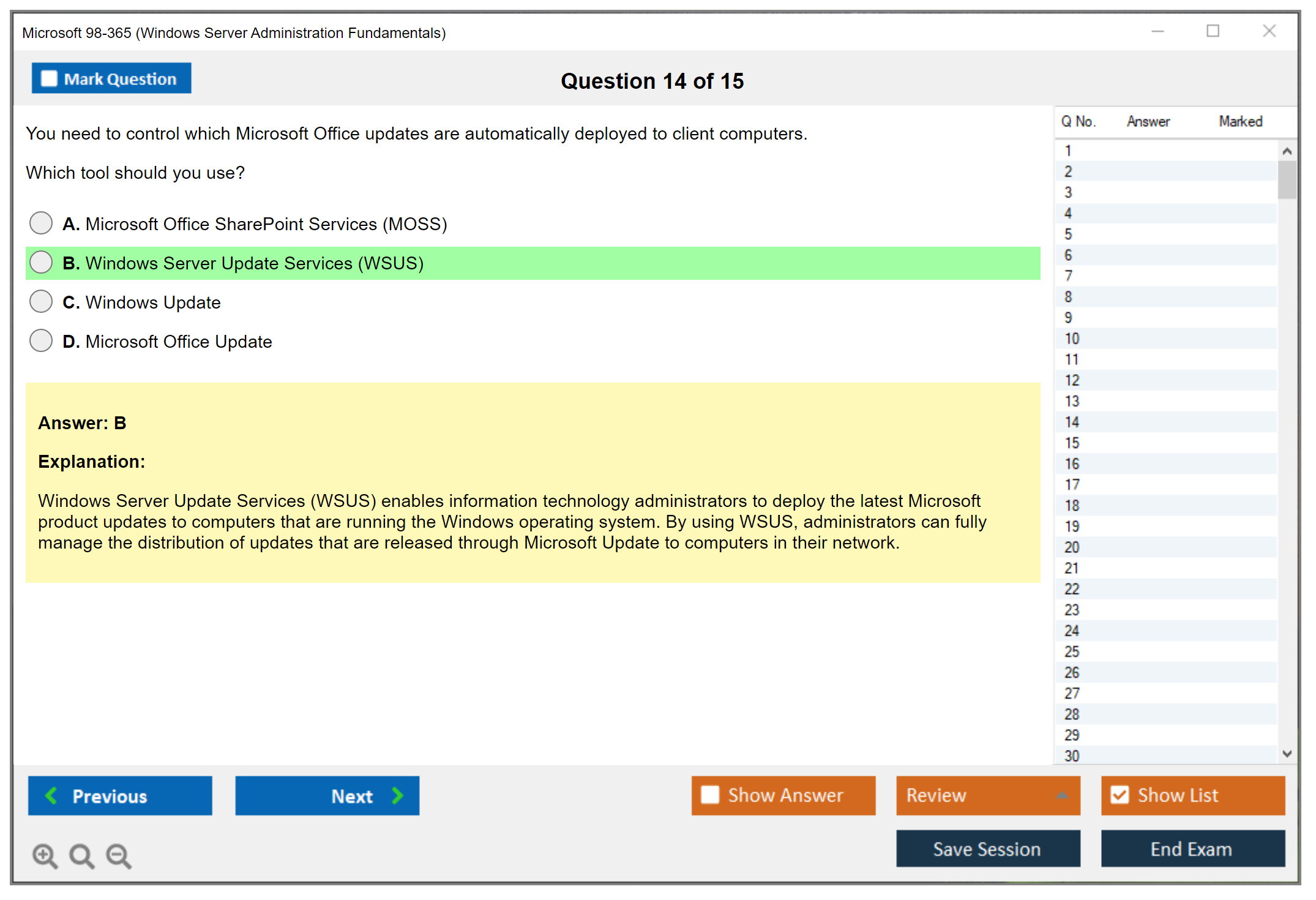
Windows Update management includes configuring automatic updates versus manual checking, understanding security updates (fix vulnerabilities) compared to critical updates (fix major bugs) and optional updates (drivers and features). Service management through services.msc lets you start or stop services, configure startup types (automatic starts at boot, manual requires user action, disabled prevents starting), and view service dependencies.
Basic troubleshooting methodology follows a logical process. Identify the problem through user reports or monitoring. Come up with theories about causes. Test theories by changing one variable at a time. Apply solutions that fix the root cause. Verify functionality with the user. Document findings so the next person doesn't start from scratch. Common server issues include boot failures (check hardware and startup services), service failures (review Event Viewer), network connectivity problems (ping, ipconfig, check cable), performance degradation (Resource Monitor), and application errors (check application logs).
The 98-365 exam covers a ton of ground but stays at a foundational level. If you're preparing for this exam, get hands-on experience with a home lab or VMs. Reading about NTFS permissions doesn't compare to actually setting them up and testing access. You need muscle memory, not just theory. The 98-365 Practice Exam Questions Pack at $36.99 helps identify weak areas before test day. After passing, you might consider the MS-900 certification to add Microsoft 365 knowledge or AZ-800 for more advanced Windows Server hybrid infrastructure skills.
98-365 Prerequisites and Recommended Experience for Success
Microsoft 98-365 (Windows Server Administration Fundamentals) exam overview
Microsoft 98-365 Windows Server Administration Fundamentals is one of those "prove you speak server basics" exams. Not a senior admin badge. It's a fundamentals check that says you understand what Windows Server is, what common roles do, and how the pieces fit together in a small-to-mid environment.
Also, yes, people still ask about it because it maps nicely to real entry-level work. Help desk escalation. Junior sysadmin tasks. Lab tech in a school. Stuff like that.
What the 98-365 certification validates
You're expected to recognize common Windows Server roles and features basics, explain what Active Directory is used for, and make sense of storage, backups, and networking fundamentals without guessing wildly. Not wizard-level. But not "I installed Windows once" either.
Some questions are pure terminology. Others feel like small scenarios where you pick the best next step, and honestly, practical thinking matters way more than memorizing definitions out of context.
Who should take exam 98-365 (ideal roles and experience level)
IT students. Help desk folks trying to move up. Career changers who already tinker a bit. Hobbyists with a home lab. That's the sweet spot.
Complete beginners can do it, honestly, but they usually underestimate how many concepts show up at once. Domains, DNS, DHCP, permissions, backup types, virtualization. It adds up fast, overwhelming people who thought they'd breeze through.
Exam details: cost, format, and passing score
Exam cost
The 98-365 exam cost typically lands around USD $127 in the US, but Microsoft pricing varies by country and currency, and sometimes taxes get added at checkout. You may also see academic discounts through schools, and occasionally voucher bundles from training providers.
Retakes depend on Microsoft's current exam retake policy and the delivery program, so check the official exam registration page before you assume you can just "try again tomorrow." Look, budgeting matters, because if you're paying out of pocket you want to be ready before you burn attempt number one.
Passing score
The 98-365 passing score is 700 on Microsoft's scaled scoring model. That doesn't mean "70% correct." It means the exam is scored, weighted, and normalized, and you pass when your scaled score hits the threshold.
So yeah. You can miss questions. You just can't miss the wrong mix.
Exam format and time limits
Expect typical Microsoft-style items: multiple choice, multiple response, ordering, and some scenario-based questions. Delivery's usually through Pearson VUE, either at a testing center or online proctoring depending on what's available for that exam in your region.
Time limits and exact formats can vary, so confirm when you schedule. Don't wing it.
98-365 exam objectives (skills measured)
The 98-365 exam objectives are basically a "server fundamentals sampler platter." Here's what you should be comfortable with before you sit.
Installing and configuring Windows Server
Know editions at a high level, what installation looks like, and what initial configuration tasks matter. GUI vs Server Core concepts come up. So does the idea of adding roles and features after install.
Understanding server roles and features
This is where people get tripped up because they memorize acronyms without understanding purpose. DNS isn't "just networking." AD DS isn't "just users." You need the why. I've seen techs rattle off role names like they're reading a grocery list but can't tell you why you'd actually deploy one over another.
Active Directory and account management fundamentals
You need Active Directory fundamentals for beginners level understanding: what directory services accomplish, authentication basics, and the difference between workgroups and domains. Short sentence. Domains matter.
Storage, backup, and recovery basics
Think disks, volumes, RAID concepts at a basic level, and what backup/restore is supposed to protect you from. Also, server storage and virtualization basics show up in a "what would you do" way, not a "name every storage type" way.
Networking and remote access fundamentals
This includes networking fundamentals for Windows Server: IP addressing, name resolution, DHCP basics, and remote access concepts. If you don't know what an IP address does, you're going to have a bad time.
Monitoring, maintenance, and troubleshooting fundamentals
Event Viewer, basic performance concepts, updates, and "what tool would you use" type questions. Practical stuff. Not fancy.
Here's a simple mapping table you can build your lab plan around:
| Objective area | Key subtopics | Recommended labs | |---|---|---| | Install/configure | editions, Server Core, initial config | Install Server (GUI + Core if possible), set IP, rename host | | Roles/features | DNS, DHCP, file services | Add DNS role, add DHCP role, create a share | | AD basics | users, groups, OUs, auth | Promote DC, create users/groups, test logon | | Storage/backup | volumes, permissions, backup types | Create volume, set NTFS/share perms, run Windows Server Backup | | Networking | IP, DNS resolution, DHCP scopes | Configure scope, verify lease, test name resolution | | Troubleshooting | logs, services, updates | Break DNS, fix it, read logs, restart services |
Prerequisites and recommended experience
Prerequisites
Let's be super clear about 98-365 prerequisites. Microsoft doesn't require any formal prerequisites or prior certifications to register for the 98-365 exam. Anyone can sign up.
But "no formal prerequisites" isn't the same thing as "you can pass with no background." You can register with zero knowledge. You can also register for a marathon. Same energy.
Recommended hands-on experience (home lab / VM)
Microsoft's own guidance has floated around 100 to 150 hours of instruction and hands-on practice with Windows Server technologies. That's not a magic number, but it's a good reality check.
A breakdown that actually works for most people:
- 40 to 60 hours of classroom or video training. Pick one good 98-365 study guide and one video course, and don't collect ten resources you never finish.
- 60 to 90 hours of lab practice. This is the part people skip, then complain the 98-365 exam difficulty feels "random."
- 20 to 30 hours of self-study and review. Notes. Flash cards if that's your thing. Practice questions with explanations.
Useful foundational knowledge (Windows, basic networking, AD concepts)
Before you touch server roles, you should already be fine with Windows basics: working through the interface, file systems and folder structures, Control Panel vs Settings, and at least basic command-line familiarity. Nothing extreme. Just not scared of it.
Networking should be at the "I can explain it" level: what IP addresses do, how devices communicate on a LAN, what DNS is used for, and what DHCP changes for you. If those feel foggy, pause and fix that first.
Active Directory conceptually should click: directory services, authentication, authorization, and why domains exist. Also, the workgroup vs domain difference should feel obvious.
Hardware matters too. You don't need to build a server from parts, but you should understand processors, RAM, storage devices, and network adapters, and how those relate to performance. RAM isn't "storage," disk speed affects boot and file access, network adapters cap throughput, basic stuff that's still important.
Educational background: a high school diploma or equivalent is commonly recommended, but not required. What you really need is comfort with technical terminology and basic computer literacy.
Recommended home lab setup for practice
If you're serious, build a lab. Not optional, I mean.
Minimum specs for a virtual lab:
- 8GB RAM minimum, 16GB+ recommended
- Quad-core CPU
- 100GB+ free storage
Virtualization options:
- Hyper-V (built into Windows 10/11 Pro)
- VMware Workstation Player (free for personal use)
- Oracle VirtualBox (free and open-source)
For software, grab Windows Server from the Microsoft Evaluation Center, which typically offers 180-day trial versions. Plenty of time to prep without buying licenses.
Build a realistic mini environment: one domain controller, one member server, one client workstation. Then practice the stuff the exam actually cares about. Building a domain from scratch, creating users and groups, configuring file shares with correct permissions, setting up DNS and DHCP, and breaking things on purpose so you learn how to fix them.
Difficulty: is Microsoft 98-365 hard?
Difficulty level
It's a fundamentals exam, but it's broad. That's the catch. Beginners struggle because they're learning Windows Server, networking, and AD concepts all at the same time, and the exam expects you to connect dots instead of recognizing vocabulary.
What makes the exam challenging (typical pitfalls)
Big pitfall: confusing share permissions vs NTFS permissions. Another: mixing up what DNS does versus DHCP. Also, people memorize "Active Directory stores stuff" but can't explain authentication flow at a high level. Fragments. Gaps everywhere.
Difficulty compared to other entry-level Microsoft exams (context)
Compared to pure Windows client fundamentals, this feels more "real IT." Compared to something like CompTIA Network+, it's narrower on networking but deeper in Microsoft server concepts. If you have A+ or Network+, you'll notice overlap immediately, and it helps.
Best study materials for 98-365
Official Microsoft learning resources (if available)
Microsoft's official pages and any archived MTA content can still help for objective lists and terminology, even if the MTA program has changed over time. Use official objective wording as your checklist.
Recommended books and study guides
Get one solid 98-365 study guide and finish it. Then patch holes with targeted reading. Don't hoard PDFs.
Video courses and labs (hands-on practice)
Visual learners do well with video plus diagrams. Hands-on learners need lab time, lots of it. Reading/writing learners should take aggressive notes and build their own mini study guide as they go.
Study plan (1 to 2 weeks / 4 to 6 weeks options)
If you've done help desk and touched AD a bit, 2 to 3 weeks can work. Some IT exposure, 4 to 6 weeks is normal. True beginners should plan 2 to 3 months, because you're building mental models from scratch, and that takes time even if you're smart.
Time commitment options:
- 10 to 15 hours/week for 6 to 8 weeks
- 25 to 30 hours/week for 3 to 4 weeks
- 5 to 7 hours/week for 3 to 4 months
Practice tests and exam prep tools
Practice tests
A good Windows Server Administration Fundamentals practice test has rationales, matches the latest posted objectives, and includes timed mode. If it just says "correct answer: B" with no explanation, it's not teaching you.
If you want something straightforward to drill, check the 98-365 Practice Exam Questions Pack for $36.99. Use it after you've done the labs, not before, or you'll memorize patterns instead of learning.
Sample questions (with explanations)
1) You need computers to automatically receive IP settings on a LAN. Which server role is most directly responsible? Answer: DHCP Server. Explanation: DHCP assigns IP configuration automatically, while DNS resolves names to IPs.
2) A company wants centralized user accounts and sign-in across multiple PCs. What Windows Server feature is the best match? Answer: Active Directory Domain Services. Explanation: AD DS provides domain-based identity and authentication rather than per-machine local accounts.
Final-week revision checklist
Rebuild your domain once. From scratch. Then verify DNS works, DHCP leases correctly, a user can log in, and a file share is accessible with the permissions you intended.
Do a last pass with a practice set like the 98-365 Practice Exam Questions Pack and write down every topic you got wrong, then go fix it in the lab. That feedback loop is the whole point.
Exam day tips and test-taking strategy
Time management and question triage
First pass: answer what you know fast. Mark the "hmm" questions. Second pass: work the marked ones. Don't get stuck proving a point to yourself.
What to bring / ID requirements
Bring the ID Pearson VUE requires for your region. Names must match registration. Online proctoring also has room and webcam rules, and they actually enforce them.
Common mistakes to avoid
Overthinking simple role questions. Ignoring basic networking. Assuming a workgroup behaves like a domain. Also, showing up tired. Sleep matters more than people think.
Certification validity, expiration, and renewal
Renewal
For MTA-era certifications like Microsoft MTA Windows Server Administration Fundamentals, the credential's generally a one-time certification and doesn't follow the modern role-based annual renewal model. Always confirm your specific program status on Microsoft's site, because program branding and availability have shifted over the years.
What to do after passing (next certifications / learning path)
After you pass, go build more depth: more PowerShell fundamentals, more AD, and more networking. Complementary skills help a lot here. Basic scripting, troubleshooting methodology, and a bit of IT service management thinking so you can work tickets like a pro.
If you want more practice before you book the exam, the 98-365 Practice Exam Questions Pack is a decent way to pressure-test your weak spots.
FAQs (based on "people also ask")
How much does the Microsoft 98-365 exam cost?
The 98-365 exam cost is commonly around $127 USD, with regional pricing differences and occasional student discounts or voucher options.
What is the passing score for 98-365?
The 98-365 passing score is 700 on a scaled score system, not a straight percentage.
Is 98-365 good for beginners?
Yes, if you put in lab time. The thing is, if you're brand new, expect 2 to 3 months of prep. If you've done help desk work already, 4 to 6 weeks is realistic.
What are the main objectives on 98-365?
The 98-365 exam objectives cover installing/configuring Windows Server, roles and features, AD basics, storage/backup/recovery, networking/remote access, and monitoring/troubleshooting.
Does Microsoft 98-365 require renewal?
Generally no, it's a one-time certification rather than a renewable role-based cert, but you should verify current status on Microsoft's official pages since programs change.
98-365 Exam Difficulty: Is Microsoft 98-365 Hard for Beginners?
Microsoft 98-365 (Windows Server Administration Fundamentals) Exam Overview
The Microsoft 98-365 Windows Server Administration Fundamentals exam sits firmly in entry-level certification territory. It's built for people who are just getting started with server administration and want to prove they understand the basics. Think of it as foundation stuff before you move into more advanced Windows Server certifications or even pivot to cloud-focused paths like AZ-900 (Microsoft Azure Fundamentals).
What the 98-365 certification validates
This cert validates that you understand core server concepts. Installing Windows Server, configuring basic roles, managing Active Directory at a fundamental level, handling storage and backups, and knowing enough about networking to not break everything on day one. The thing is, it's not about being a server guru. It's about proving you can work through a Windows Server environment without calling for help every five minutes.
Who should take Exam 98-365 (ideal roles and experience level)
Students, help desk folks looking to level up, and anyone considering a career shift into IT infrastructure.
If you've been fixing desktop issues and want to understand what's happening on the server side, this exam makes sense. People with zero server experience can pass this with focused study. It's literally built for beginners, which is the whole point of the MTA 98-365 Windows Server fundamentals track. I actually knew someone who went from retail to IT by starting with this exam, though he spent about three months really grinding through lab work before he felt ready.
Exam Details: Cost, Format, and Passing Score
98-365 exam cost
The 98-365 exam cost typically runs around $127 USD in most regions, though prices vary depending on where you're taking it. Some countries see slightly higher pricing due to local tax structures and currency conversion. Exam vouchers sometimes go on sale through Microsoft Learning Partners or during promotional periods, so keep an eye out if budget's tight. Retake policies follow standard Microsoft rules. You can retake after 24 hours for your first attempt, but you'll need to wait longer between subsequent attempts if you fail multiple times.
98-365 passing score
Microsoft uses scaled scoring, which means your raw score gets converted to a scale of 100 to 1000. The passing score for 98-365 is 700. That doesn't mean you need 70% correct. It's more nuanced because harder questions carry different weight. Some sections matter more than others based on the 98-365 exam objectives. You won't know your exact score on individual sections during the exam, but you'll get a breakdown after completion showing which areas you aced and which ones need work.
Exam format and time limits
You get 45 minutes to answer approximately 40 to 50 questions.
Multiple choice dominates the format, but expect some scenario-based questions where they describe a situation and ask what you'd do. No simulations or live lab tasks on this one. It's all knowledge-based. Pearson VUE handles exam delivery, so you can take it at a testing center or do online proctoring from home if that's your thing.
98-365 Exam Objectives (Skills Measured)
Installing and configuring Windows Server
You need to understand installation options, basic server configuration post-install, and initial setup tasks. This includes choosing between Server Core and GUI installations, configuring Windows Update, and understanding device drivers. Not rocket science, but you can't just wing it without ever touching a server.
Understanding server roles and features
Server roles like DNS, DHCP, file services, and print services show up heavily.
You should know what each role does, when you'd deploy it, and basic configuration steps. Features are add-ons that extend functionality. Knowing the difference matters for exam questions.
Active Directory and account management fundamentals
Active Directory fundamentals for beginners covers domain controllers, organizational units, user and group management, and basic Group Policy concepts. You're not designing enterprise AD forests here. Just understanding how AD works and how to perform basic administrative tasks.
Storage, backup, and recovery basics
Disk types, RAID configurations, backup strategies, and recovery options all appear on the exam. Understanding server storage and virtualization basics helps here, especially knowing the difference between basic disks and dynamic disks, or why you'd choose RAID 1 over RAID 5 in certain scenarios.
Networking and remote access fundamentals
IP addressing, subnetting basics, understanding TCP/IP, and remote access technologies like VPN and Remote Desktop. The networking fundamentals for Windows Server section isn't as deep as a dedicated networking cert, but you need solid foundational knowledge.
Monitoring, maintenance, and troubleshooting fundamentals
Event Viewer, Performance Monitor, basic troubleshooting methodology, and understanding server maintenance tasks. This is where hands-on experience really shows. Reading about Event Viewer is one thing, but actually using it to diagnose issues is another.
| Objective Area | Key Subtopics | Recommended Labs | |----------------|---------------|------------------| | Installing Windows Server | Installation types, post-install config | Install Server 2016/2019 in VirtualBox, practice both GUI and Core | | Server Roles | DNS, DHCP, File Services | Deploy DHCP server, configure DNS zones, set up shared folders | | Active Directory | Users, groups, OUs, basic GPO | Create domain controller, add users/groups, link basic policies | | Storage | Disks, RAID, backup | Configure RAID in VM, practice Windows Server Backup | | Networking | IP config, remote access | Set up static IPs, configure Remote Desktop, basic VPN setup |
Prerequisites and Recommended Experience
98-365 prerequisites
There are no formal prerequisites.
Literally none. Microsoft doesn't require you to have any other certifications or prove prior experience. That said, having some basic Windows knowledge helps a ton. If you've never used Windows before, jumping straight to server admin is gonna be rough.
Recommended hands-on experience (home lab / VM)
Build a home lab. Seriously.
Download VirtualBox or VMware Workstation Player (both free), grab a Windows Server evaluation ISO from Microsoft, and start installing. You can't learn server administration purely from books and videos. You need to break things, fix them, and break them again. Two VMs running, one as a domain controller and one as a member server, gives you enough to practice most exam objectives.
Useful foundational knowledge (Windows, basic networking, AD concepts)
Understanding basic Windows navigation, command prompt basics, and fundamental networking concepts (what's an IP address, what's a subnet mask, how does DNS work) will make your study process way smoother. If networking terminology sounds like gibberish, maybe check out something like SC-900 (Microsoft Security Compliance and Identity Fundamentals) to build some baseline knowledge first.
Difficulty: Is Microsoft 98-365 Hard?
98-365 exam difficulty
On a difficulty scale, I'd rate the Microsoft 98-365 Windows Server Administration Fundamentals exam around 3 to 4 out of 10. It's really designed for beginners, so the questions aren't trying to trick you with obscure edge cases. That said, "fundamentals" doesn't mean "trivial." You still need to actually study and understand the material.
The biggest challenge for most people? The breadth of topics. You're covering installation, Active Directory, networking, storage, and troubleshooting all in one exam. None of it goes super deep, but you need surface-level competency across everything.
What makes the exam challenging (typical pitfalls)
People fail this exam when they rely purely on memorization without understanding.
Questions often present scenarios where you need to apply knowledge, not just recall definitions. For example, they might describe a backup requirement and ask which backup type to use. You need to understand the difference between full, incremental, and differential backups, not just memorize their names.
Another pitfall? Skipping hands-on practice. You can read about installing a domain controller all day, but if you've never actually done it, the exam questions feel way harder.
Difficulty compared to other entry-level Microsoft exams
Compared to something like MS-900 (Microsoft 365 Fundamentals), the 98-365 requires more technical depth. MS-900 is very high-level and concept-focused. The 98-365 expects you to understand actual configuration tasks. It's easier than intermediate exams like MD-102 (Endpoint Administrator), which assumes you already have foundational knowledge and goes way deeper into specific technologies.
Best Study Materials for 98-365
Official Microsoft learning resources (if available)
Microsoft used to provide MTA learning paths and official courseware, though the MTA program has been retired in favor of newer fundamentals certifications. You can still find archived resources and documentation covering Windows Server fundamentals. The official Microsoft documentation for Windows Server 2016/2019 remains excellent reference material.
Recommended books and study guides
The 98-365 study guide options include several exam-specific books that walk through all objectives systematically.
Look for titles that include practice questions and explanations. Just having the right answer doesn't help if you don't understand why. Some guides focus heavily on theory while others emphasize practical application. Ideally you want both.
Video courses and labs (hands-on practice)
Platforms like Pluralsight, Udemy, and LinkedIn Learning offer courses covering Windows Server fundamentals. Video content works great for visual learners, but don't just passively watch. Pause the video, replicate what the instructor's doing in your own lab environment, and experiment. The Windows Server Administration Fundamentals practice test resources often come bundled with video courses.
Study plan (1 to 2 weeks / 4 to 6 weeks options)
If you're already working with Windows Server daily, 1 to 2 weeks of focused evening study might be enough. Review the exam objectives, fill in knowledge gaps, and do practice tests. For complete beginners, plan 4 to 6 weeks. Spend the first few weeks building your lab and working through each major topic area, then dedicate the final week to practice tests and review.
Practice Tests and Exam Prep Tools
Windows Server Administration Fundamentals practice test resources
Quality practice tests should match the actual exam format, provide detailed explanations for both correct and incorrect answers, and cover all exam objectives proportionally. Some practice test platforms offer timed mode to simulate real exam conditions and study mode where you can review rationale immediately. Look for recently updated materials. Even though 98-365 objectives haven't changed dramatically, practice questions should reflect current best practices.
Sample questions (with explanations)
A good sample question might present a scenario like this: "Your organization needs to provide IP addresses automatically to 200 workstations. Which server role should you deploy?" The correct answer's DHCP, but the explanation should cover why DHCP is the right choice, what it does, and maybe contrast it with manual IP assignment or APIPA.
Final-week revision checklist
Review all exam objectives and rate your confidence on each.
Focus remaining study time on weak areas. Take a full-length practice test under timed conditions. Review any questions you missed or guessed on. Make sure your lab environment still works and practice any tasks you're shaky on. Get good sleep the night before. Cramming at midnight doesn't help.
Exam Day Tips and Test-Taking Strategy
Time management and question triage
With 45 minutes and roughly 40 to 50 questions, you've got less than a minute per question. Don't get stuck on any single question. Mark it for review and move on. Answer the easy ones first to build momentum and bank time for harder questions. If you're really stuck between two answers, make your best guess and flag it rather than burning three minutes overthinking.
What to bring / ID requirements
Bring valid government-issued photo ID that matches your exam registration name exactly.
Testing centers usually don't allow anything else. No phones, no notes, no water bottles at your desk. They'll provide scratch paper or a whiteboard. Online proctoring has similar rules but you're taking it at home with a webcam monitoring you.
Common mistakes to avoid
Don't overthink questions. The exam's fundamentals-level, so the answers aren't trying to trick you with obscure technicalities. Read each question carefully. Sometimes they ask for the BEST answer when multiple options might work. Manage your time. Don't spend 10 minutes on a single question worth the same points as one you could answer in 20 seconds.
Certification Validity, Expiration, and Renewal
Does Microsoft 98-365 require renewal
The MTA certifications, including 98-365, don't expire. Once you pass, you're certified for life.
There's no renewal requirement, no continuing education credits, no annual fees. That's both good and bad. Good because it's one less thing to maintain, but bad because technology evolves and a cert from 2015 might not carry the same weight in 2024.
What to do after passing (next certifications / learning path)
After getting your 98-365, consider moving into more advanced Windows Server certifications like AZ-800 (Administering Windows Server Hybrid Core Infrastructure) which covers modern hybrid environments. Or pivot to cloud with AZ-104 (Microsoft Azure Administrator). A lot of server concepts translate directly to cloud infrastructure. Some people also branch into security with exams like SC-200 (Microsoft Security Operations Analyst) or SC-300 (Microsoft Identity and Access Administrator).
FAQs (Based on "People Also Ask")
How much does the Microsoft 98-365 exam cost?
Around $127 USD in most regions, though exact pricing varies by country and currency. Watch for promotional discounts through Microsoft Learning Partners or educational institutions.
What is the passing score for 98-365?
700 on a scale of 100 to 1000. This is a scaled score, not a raw percentage, so the actual number of questions you need to answer correctly varies based on question difficulty.
Is 98-365 good for beginners?
Yes.
It's literally designed as an entry-level fundamentals exam. If you're new to server administration and willing to put in study time and hands-on practice, this is a solid starting point.
What are the main objectives on 98-365?
Installing and configuring Windows Server, understanding server roles and features, Active Directory basics, storage and backup, networking fundamentals, and basic monitoring and troubleshooting.
Does Microsoft 98-365 require renewal?
Nope.
MTA certifications are permanent and don't require renewal or continuing education to maintain.
Conclusion
Wrapping up your 98-365 prep
Okay, real talk here.
The Microsoft 98-365 Windows Server Administration Fundamentals exam won't revolutionize your entire IT career trajectory, but it's honestly a practical entry point if you're trying to break into server administration without completely emptying your bank account. The exam cost? Way more reasonable compared to those vendor-neutral certifications that'll drain your wallet faster than you can say "CompTIA," and the 98-365 passing score threshold sitting at 700 out of 1000 is totally achievable if you actually commit to studying instead of, you know, just skimming through some random PDF at midnight before your scheduled test.
What really stands out is the practical coverage. You're learning stuff you'll actually use.
Active Directory fundamentals for beginners, understanding Windows Server roles and features basics, server storage and virtualization basics.. these topics aren't just checkbox items for passing an exam. They're the foundation you'll desperately need when you're troubleshooting at 3 PM on a Friday trying to figure out why Karen from Accounting suddenly can't access that shared folder she's been using for six months. The 98-365 exam objectives? Pretty straightforward, honestly, which makes building a study plan way less overwhelming than those associate-level certs where the objectives read like a phone book nobody asked for.
Speaking of phone books, does anyone under 30 even know what those were? My niece thought I was describing some kind of primitive Yelp when I mentioned them last week. Anyway.
The 98-365 exam difficulty really depends on your starting point.
Got zero server experience? Yeah, you'll need to build yourself a home lab and mess around with networking fundamentals for Windows Server until concepts actually click instead of bouncing off your brain. Already tinkered with VMs and have a basic grasp of what a domain controller does? You might breeze through this certification in two weeks flat with a decent Windows Server Administration Fundamentals practice test and some quality hands-on time.
Here's the thing about 98-365 prerequisites. There aren't any formal ones, but don't just walk in cold. Spend real time with the actual server OS, not just memorizing theory like you're cramming for a history exam. Break things in a VM, fix them, break them differently, fix them again. That's how this stuff sticks.
Before you schedule your exam, work through quality practice materials. Not gonna lie, I've seen people fail this so-called "fundamentals" exam because they completely underestimated it or relied on outdated study resources from 2012. A solid 98-365 study guide helps, but nothing beats realistic practice questions that explain why wrong answers are wrong instead of just marking them red.
If you want to test your readiness with scenarios that mirror the real exam format, check out the 98-365 Practice Exam Questions Pack. It's built for the Microsoft MTA Windows Server Administration Fundamentals exam objectives, and working through those questions will show you exactly where your knowledge gaps are hiding before you spend actual money on the exam voucher.
Get your hands dirty, practice regularly, and you'll pass. Simple as that.

Overall, the 98-365 dumps are a great resource for anyone preparing for the 98-365 certification exam.